


In the realm of gaming, where every detail can be the difference between victory and defeat, the choice of your monitor is crucial. It’s not just about resolution or refresh rates anymore; the physical form of the screen itself has become a battleground. Enter the debate of curved vs flat monitor gaming – a topic that stirs as much passion as the games themselves. As gamers, we’re constantly seeking that edge, that perfect setup that not only enhances performance but also elevates our experience. This choice isn’t just technical; it’s deeply personal, reflecting our style and approach to the gaming world.
TL;DR: Key Takeaways
- Curved Monitors: Preferred by 84% of gamers for an immersive experience.
- Flat Monitors: Ideal for multi-monitor setups and efficient space usage.
- Size Matters: Larger screens with curved monitors, but flat monitors offer more traditional measurements.
- Personal Preference: Your choice may depend on your gaming style and desk space.
- Cost Consideration: Curved monitors tend to be pricier but offer unique benefits.
The Immersive World of Curved Monitors
Statistic Insight: A Gamer’s Preference
A Samsung survey reveals a staggering 84% of gamers prefer curved monitors. This overwhelming preference isn’t just a passing trend; it’s a testament to the immersive experience these monitors provide. When you’re deep in the throes of a gaming session, every element of your environment contributes to the experience. Curved monitors wrap around your field of vision, pulling you into the game world in a way flat screens can’t match. This curvature mimics the natural curvature of the human eye, reducing eye strain and offering a more comfortable viewing experience, especially during long gaming marathons.
Technical Speak: Understanding Curvature
Curved monitors boast a curvature radius, denoted as ‘R’. The lower the R value, the more pronounced the curve. For instance, an 1800R monitor offers a more enveloping experience compared to a higher R number monitor. This curvature isn’t just for show; it’s a carefully calculated feature designed to enhance the gamer’s immersion. The idea is to create a panoramic effect, making the gaming experience more engaging and realistic. Games with expansive environments, like open-world RPGs or flight simulators, benefit immensely from this, as the curved screen provides a broader and more inclusive view of the game world.
Expert Opinion: The Immersion Factor
“Curved screens make for more immersive gaming experiences because they fill more of your field of view,” explains Matt Smith, Deputy Editor at Digital Trends. This statement rings true for gamers seeking a deep dive into their virtual worlds. The curvature of the monitor creates a sense of depth that flat monitors can’t replicate, drawing the player deeper into the game. It’s not just about seeing more of the game world; it’s about feeling a part of it. This immersion factor is particularly crucial in games where atmosphere and environment play a significant role. Imagine standing at the edge of a cliff in a breathtaking virtual landscape; a curved monitor makes that experience feel almost tangible, as if you could reach out and touch the virtual world.
Suggest products
Alienware AW3423DW: A Quantum Leap in Gaming Displays
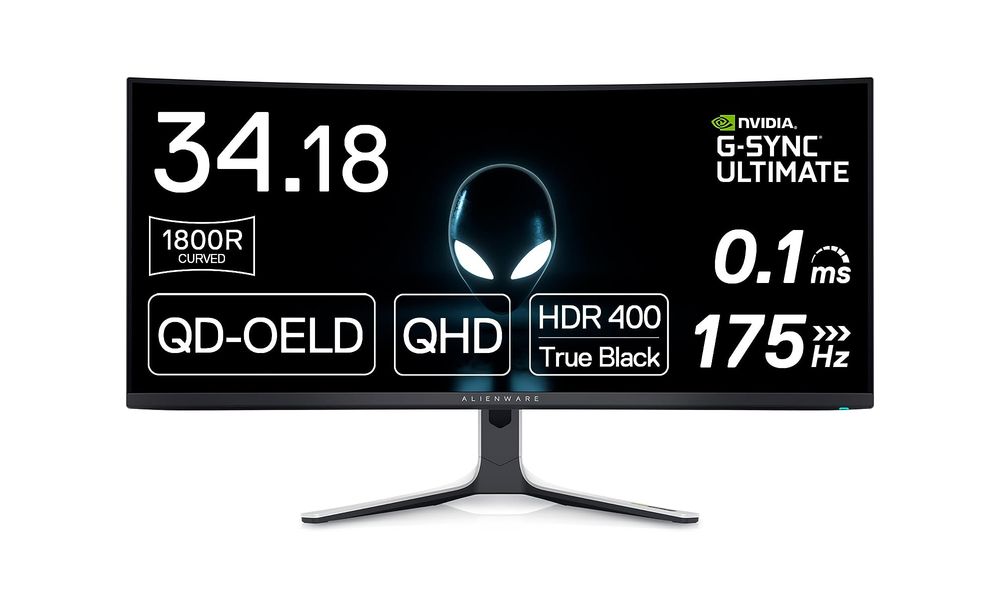
The Alienware AW3423DW stands out with its Legend 2.0 ID, featuring a sleek QD-OLED curved 1800R panel. This design not only enhances the aesthetic appeal but also contributes to an immersive gaming experience. The customizable stadium loop OLED AlienFX lighting adds a personalized touch, while the 360° ventilation ensures optimal performance during intense gaming sessions. The centralized OSD joystick simplifies settings adjustments, making it user-friendly.
| Pros | Cons |
| ✅ QD-OLED Curved 1800R Panel ✅ NVIDIA G-SYNC ULTIMATE Certification ✅ 0.1 ms GtG Response Time ✅ 175 Hz High Refresh Rate ✅ Customizable AlienFX Lighting | ❌ Requires Careful Cleaning ❌ Occasional Signal Issues |
GIGABYTE M32U: Adaptive Sync for Smooth Gameplay
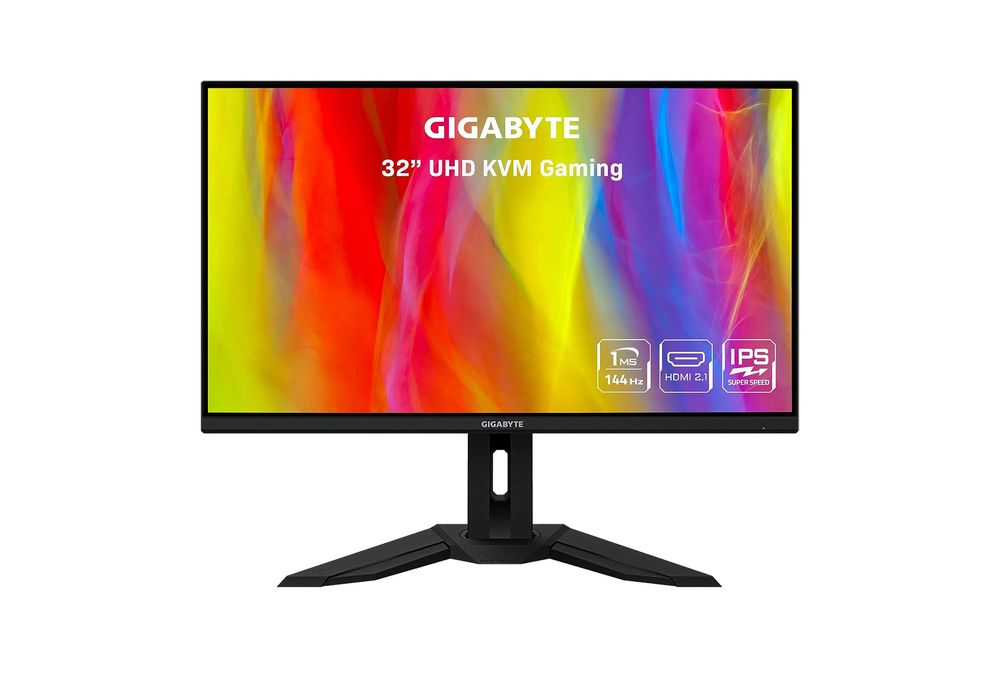
The GIGABYTE M32U stands out in the realm of gaming monitors with its impressive 31.5-inch 4K display, offering a resolution of 3840 x 2160 pixels. This monitor is a game-changer for those seeking crisp, detailed visuals in their gaming and multimedia experiences. Its Adaptive Sync feature ensures smooth, tear-free gameplay, making it a top choice for gamers who demand precision and fluidity in fast-paced games.
| Pros | Cons |
| ✅ 31.5-inch 4K Resolution ✅ High 144Hz Refresh Rate ✅ Adaptive Sync Technology ✅ Extensive Color Coverage ✅ Convenient KVM Functionality | ❌ Some Backlight Bleed ❌ Occasional Resolution Change Delays |
The Traditional Appeal of Flat Monitors
While curved monitors are gaining traction, flat monitors hold their ground with certain advantages. Their traditional, TV-like design makes them a familiar choice, especially for those used to multi-monitor setups. They’re generally lighter and more space-efficient, making them a practical option for gamers with limited room.
Size and Space: A Consideration
When it comes to size, curved monitors often provide a wider and more elongated screen, perfect for an immersive experience. However, they do require more desk space. On the other hand, flat monitors offer larger corner-to-corner screens, using the traditional TV measurement method.
The Price Point: Curved vs Flat
Historically, curved monitors were more expensive, but as technology advances, this gap is narrowing. Today, both types of monitors come equipped with the latest features, numerous ports, and all the specs a gamer could need. The choice now depends more on personal preference and specific gaming needs.

Curved vs Flat: The Gaming Experience
For gamers who prioritize immersion and wide viewing angles, curved monitors are the way to go. They’re particularly beneficial for single-player games where drawing the player into the game world is key. Conversely, flat monitors are ideal for competitive gaming where focus and a traditional field of view are crucial.
Personal Experience: A Gamer’s Perspective
As a seasoned gamer, I’ve experienced both worlds. The transition from flat to curved can be startling at first, but the immersion provided by curved monitors is unparalleled. However, for my multi-player and competitive gaming sessions, I still lean towards the flat monitor for its familiarity and precision.
Conclusion: The Choice is Yours
In the end, the decision between a curved and a flat monitor for gaming boils down to personal preference, gaming style, and practical considerations like space and budget. Whether you’re drawn to the immersive experience of a curved monitor or the traditional, efficient design of a flat monitor, the market has never been more accommodating.
FAQs
Q: Are curved monitors better for gaming?
A: Curved monitors offer a more immersive gaming experience, especially for single-player games. However, whether they are “better” depends on personal preference and gaming style.
Q: Do curved monitors take up more space?
A: Yes, curved monitors generally require more desk space due to their design.
Q: Is a flat monitor good for competitive gaming?
A: Flat monitors are often preferred for competitive gaming due to their traditional field of view and efficiency in multi-monitor setups.
Q: Are curved monitors more expensive?
A: Historically, yes. However, the price gap between curved and flat monitors has been decreasing.
Q: Can I use a curved monitor for work and gaming?
A: Absolutely. Curved monitors are excellent for productivity and provide an immersive gaming experience.
Q: Is a lower ‘R’ value better in curved monitors?
A: A lower R value indicates a more pronounced curve, which can offer a more immersive experience.
Q: Do curved monitors offer better viewing angles?
A: Curved monitors can provide better viewing angles for the user, enhancing the gaming experience.