


Table of Contents
Live-streaming has evolved from a niche hobby into a booming industry where live streamers connect with audiences worldwide. Whether you’re looking to entertain, build a community, or monetize your passion, creating a dedicated and well-optimized gaming space is essential. A professional yet personal setup enhances your performance, boosts engagement, and ensures your stream stands out.
From choosing the right location to refining your lighting and audio, here’s how live streamers can create the perfect live-stream gaming space.
Pick the Right Location
The first step in crafting your ideal streaming environment is selecting the right spot in your home. Ideally, you want a space that minimizes outside noise and distractions, allowing you to focus entirely on your content.
Noise Control & Soundproofing
A quiet environment ensures that your audience hears only what you want them to hear—your commentary, in-game audio, and interactions with viewers. If you live in a noisy area or have thin walls, consider adding soundproofing elements such as:
- Acoustic foam panels to absorb sound and reduce echo.
- Weather stripping around doors and windows to block out outside noise.
- Heavy curtains or rugs to help absorb excess sound and prevent reverb.
If you can’t dedicate a separate room, consider using noise-canceling microphones and software like Krisp to filter out background noise.
Add a Killer Background
Your background plays a massive role in your stream’s overall aesthetics. A visually appealing setup can help attract and retain viewers while reinforcing your brand identity.
Personalize Your Space
Think about what represents you as a live streamer and content creator. Some ideas include:
- Gaming collectibles and figurines – Showcase your favorite gaming memorabilia.
- LED accent lighting – RGB lighting strips or Nanoleaf panels add vibrancy.
- Custom shelves – Display your gear, trophies, or gaming merchandise.
- Posters or wall art – Feature artwork from your favorite games.
Green Screen Option
If you prefer a clean, customizable look, a green screen lets you digitally replace your background with any image or animation. This can help keep the focus on you and your gameplay while maintaining a sleek presentation.
Live Streamers Invest in Their Gaming Gear
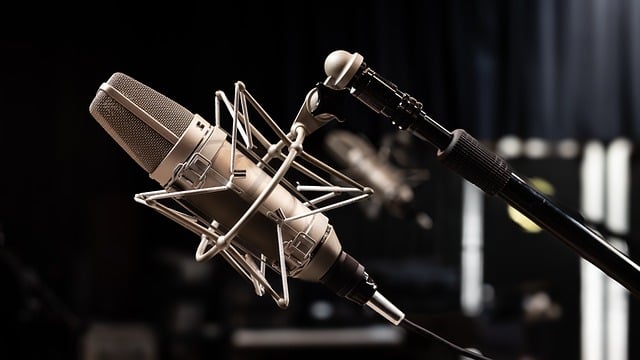
Comfort and functionality go hand in hand when setting up your gaming station. The right gear can improve your performance, prevent strain, and enhance your overall streaming experience.
Essential Equipment
- Gaming Chair – A high-quality ergonomic chair supports your posture during long sessions. Look for models with lumbar support and adjustable armrests.
- Desk Space – Ensure your desk has enough room for multiple monitors, a microphone, and other accessories.
- Monitor Setup – If possible, use a dual-monitor setup—one for gaming and another for chat, stream settings, and alerts.
- Microphone and Headset – A clear, high-quality microphone makes a huge difference. Condenser mics like the Audio-Technica AT2020 or the Shure SM7B are great picks. Pair it with a boom arm to keep your workspace clutter-free.
- Webcam or Camera – A good webcam, such as the Logitech StreamCam or Elgato Facecam, ensures clear, high-resolution visuals.
Lighting and Camera Game for Live Streamers
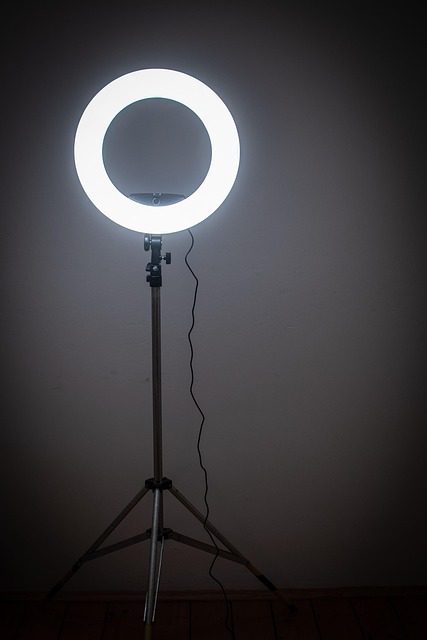
Lighting plays a crucial role in your stream’s presentation. Even the best camera will produce poor results if your lighting setup is lacking.
Optimal Lighting Setup
- Key Light – A bright, soft light placed in front of you ensures your face is well-lit without harsh shadows.
- Fill Light – A secondary light on the side balances the key light, reducing harsh contrasts.
- Back Light – A subtle backlight helps separate you from the background, adding depth to your shot.
- Ring Light Alternative – If space is limited, a ring light can provide even illumination without taking up too much room.
Camera Placement
Position your camera at eye level for a more natural and engaging perspective. Avoid placing it too low (which creates an unflattering angle) or too high (which makes it look distant). Test your camera settings to ensure you’re centered and properly framed.
Tame the Cable Chaos
A clutter-free setup enhances both aesthetics and functionality. Managing cables prevents tangling, accidental unplugging, and an overall messy appearance.
Cable Management Tips
- Velcro straps or zip ties – Keep cables bundled together neatly.
- Cable sleeves – Conceal multiple wires in a single sleeve for a clean look.
- Desk grommets – Route cables through designated openings in your desk.
- Under-desk cable trays – Store power strips and cables underneath for better organization.
Investing in wireless peripherals, such as a keyboard, mouse, or headset, can also reduce cable clutter.
Software & Internet Connection for Live Streamers
A great streaming setup isn’t just about hardware—your software and internet speed play a major role in stream quality.
Streaming Software
Choose software that balances ease of use with powerful features:
- OBS Studio – Free, customizable, and widely used by professional streamers.
- Streamlabs OBS – A beginner-friendly alternative with built-in overlays and widgets.
- XSplit – A premium option with robust features for more advanced users.
Internet Requirements
A stable internet connection is non-negotiable for live streaming. Aim for:
- Upload speed of at least 5 Mbps for 1080p streaming.
- Wired Ethernet connection instead of Wi-Fi to prevent lag and instability.
- Backup internet solution, such as a mobile hotspot, in case of connectivity issues.
Engage Your Audience While Streaming
A polished space is only part of the equation—interacting with viewers is crucial for building a loyal community.
Interaction Strategies
- Acknowledge viewers – Greet new followers and respond to chat messages.
- Use chat commands – Set up automated commands for FAQs, social links, and community engagement.
- Encourage participation – Ask questions, run polls, and involve your audience in gameplay decisions.
- Schedule consistency – Stick to a streaming schedule so viewers know when to tune in.
- Incorporate overlays – Use on-screen alerts for new subscribers, donations, and chat highlights.
Final Thoughts
Creating the perfect live-stream gaming space requires a mix of functionality, aesthetics, and comfort. A well-designed setup enhances your streaming experience, keeps your audience engaged, and helps you stand out in a crowded space. Whether you’re an aspiring live streamer or looking to refine your current setup, these tips will help elevate your content to the next level.
Start designing your ideal streaming environment today, and watch how it transforms your content and connection with your audience!
FAQ: How Live Streamers Create the Perfect Live-Stream Gaming Space
1. What is the best location for a live-stream gaming setup?
The best location is a quiet space with minimal outside noise and distractions. If possible, choose an isolated room and use soundproofing elements like acoustic foam panels, weather stripping, and heavy curtains to improve audio quality.
2. How can I improve my stream’s background?
A well-designed background enhances your stream’s aesthetics. You can personalize your space with gaming collectibles, LED accent lights, posters, or sleek shelves. If you prefer a cleaner look, a green screen allows for customizable digital backgrounds.
3. What essential equipment should live streamers invest in?
Key equipment includes:
An ergonomic gaming chair for comfort
A spacious desk for monitors and accessories
A high-quality microphone and headset for clear audio
A good webcam or camera for sharp visuals
A dual-monitor setup for managing gameplay and chat
4. How can I improve lighting for my live stream?
Use a key light in front of you for even illumination, a fill light to balance shadows, and a backlight to add depth. Avoid relying solely on overhead lights, which can create harsh shadows. If space is limited, a ring light provides a simple solution.
5. How do I manage cables to keep my setup organized?
Use Velcro straps, cable sleeves, desk grommets, and under-desk cable trays to route and conceal cables neatly. Wireless peripherals like keyboards and headsets can also help reduce clutter.
6. What are the best streaming software options?
Popular choices include:
OBS Studio – A free and customizable option
Streamlabs OBS – Beginner-friendly with built-in overlays
XSplit – A premium choice with advanced features
7. How important is internet speed for live streaming?
A stable internet connection is crucial. Aim for an upload speed of at least 5 Mbps for 1080p streaming and use a wired Ethernet connection for better stability. A backup internet solution, such as a mobile hotspot, is recommended in case of connectivity issues.
8. How can live streamers engage their audience effectively?
Engagement strategies include:
Acknowledging new followers and responding to chat messages
Using chat commands for FAQs and social links
Running polls and involving viewers in gameplay decisions
Maintaining a consistent streaming schedule
Using on-screen overlays for alerts and chat highlights
9. Why is having a well-designed streaming space important?
A well-thought-out gaming space improves content quality, enhances audience engagement, and creates a professional look that helps live streamers stand out in a competitive industry.