


When it comes to productivity and gaming, a mouse can make or break your experience. And in an era where convenience is paramount, the move towards wireless is inevitable. But with a plethora of options, how do you choose the best wireless mouse for your needs? Fear not, our expert team has spent 23 painstaking hours researching and reviewing the top products on the market to bring you this comprehensive guide.
TL;DR
- Wireless mice offer convenience and reduce clutter.
- Features like DPI, ergonomics, and battery life are crucial when selecting a wireless mouse.
- Top brands include Logitech, Microsoft, and Razer.
Logitech MX Master 3 – Best Professional Wireless Mouse
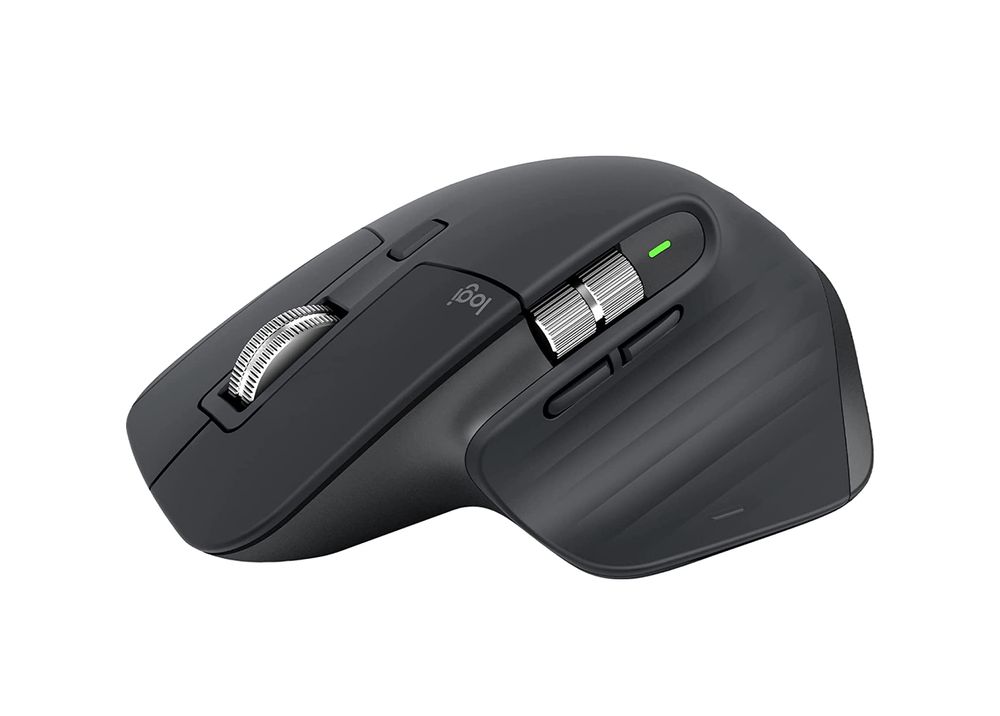
When it comes to precision, comfort, and customization, the Logitech MX Master 3 stands as an unrivaled choice. It is excellent for professionals looking for a mouse to enhance their productivity. With its customizable buttons, you can set your shortcuts for seamless navigation and control. Its ergonomic design ensures your hand feels comfortable even after hours of use. In short, the MX Master 3 is a top-notch wireless mouse that is worth every penny.
| Pros: | Cons: |
| ✅ Ergonomic design ✅ Excellent customization options ✅ Long battery life ✅ Hyper-fast scrolling ✅ High-precision sensor | ❌ May be large for users with smaller hands ❌ Pricey |
Razer Basilisk X Hyperspeed – Best Wireless Mouse for Gamers

For avid gamers, the Razer Basilisk X Hyperspeed is a powerhouse wireless mouse. Offering high precision, customization options, and smooth performance, it can significantly enhance your gaming experience. Its adjustable scroll wheel resistance and programmable buttons give you an edge in competitive gaming. The Basilisk Ultimate is a must-have for any serious gamer seeking wireless freedom without compromising performance.
| Pros: | Cons: |
| ✅ High-precision sensor ✅ Long battery life ✅ Customizable scroll wheel resistance ✅ Durable ✅ Comfortable for long gaming sessions | ❌ Not ambidextrous ❌ Lacks RGB lighting |
Microsoft Bluetooth Ergonomic Mouse – Best Ergonomic Wireless Mouse

The Microsoft Bluetooth Ergonomic Mouse is a versatile and comfortable wireless mouse, ideal for users who multitask across multiple devices. With its seamless switching feature, you can control and switch between three computers effortlessly. It also boasts an ergonomic design for comfort during extended use. If you’re a multitasker who juggles work across different devices, this mouse is a solid pick.
| Pros: | Cons: |
| ✅ Excellent ergonomic design ✅ Long battery life ✅ Smooth and precise tracking ✅ Quiet scrolling ✅ Affordable | ❌ Only for right-handed users ❌ Lacks a rechargeable battery |
Apple Magic Mouse 2 – Best Wireless Mouse for Mac Users
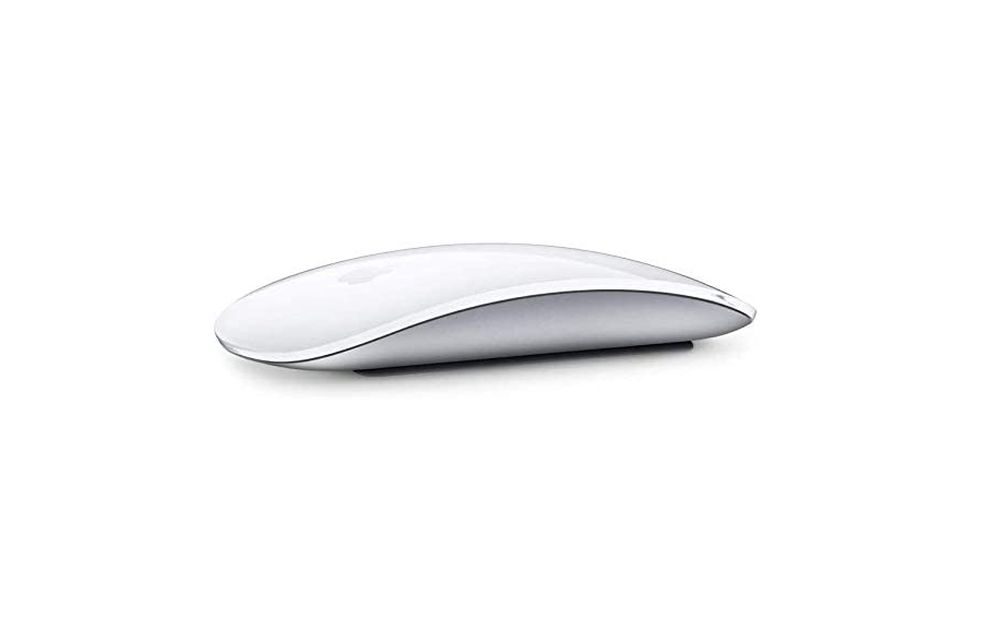
If you’re an Apple user, the Magic Mouse 2 is a sleek, futuristic-looking mouse that perfectly matches your ecosystem. Its minimalist design and multi-touch surface offer a unique user experience, allowing you to swipe between web pages and scroll through documents with ease. While it may take some time to get used to, the Magic Mouse 2 is a great investment for those fully immersed in the Apple universe.
| Pros: | Cons: |
| ✅ Sleek and stylish design ✅ Multi-touch gestures ✅ Rechargeable battery ✅ Smooth tracking ✅ Lightweight | ❌ Not ergonomically designed ❌ Pricey |
Logitech M720 Triathlon – Best Multi-Device Wireless Mouse
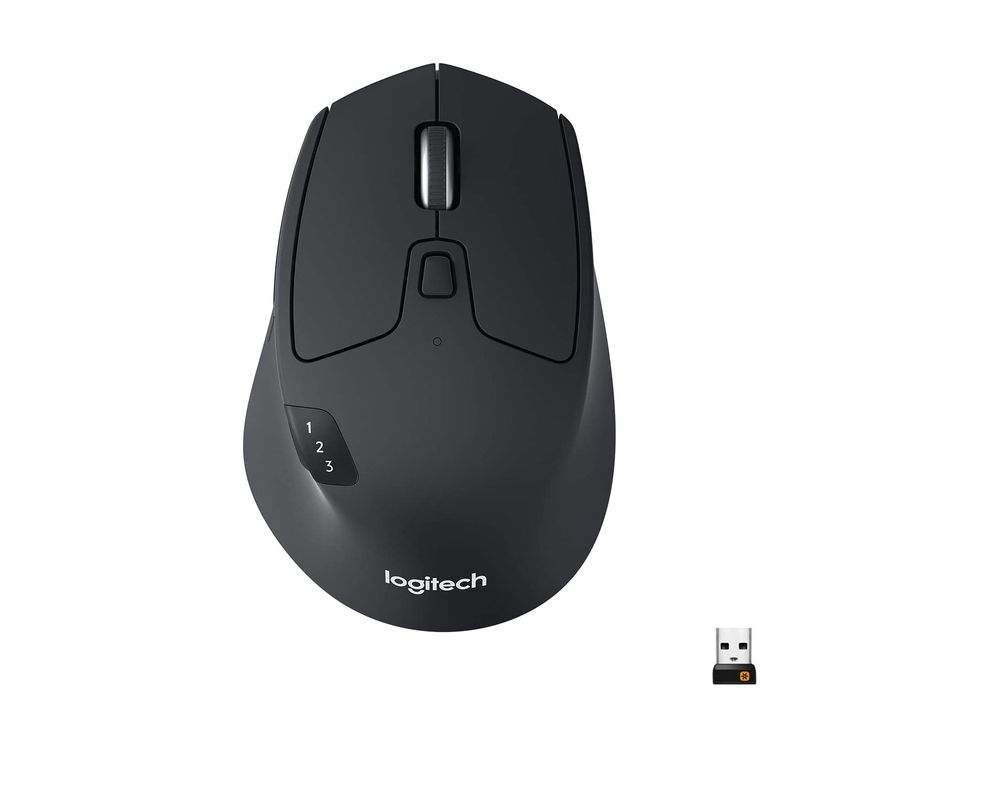
The Logitech M720 Triathlon is a dynamic workhorse that excels in multitasking. Its standout feature is the ability to pair with up to three devices simultaneously, allowing seamless switching at the touch of a button – a real game-changer for those working across multiple devices. Its robust build, long battery life, and comfortable design make it suitable for extended use. With eight customizable buttons, it offers exceptional flexibility to cater to your workflow. Moreover, the M720 Triathlon is compatible with both Windows and Mac OS, making it versatile for different users. In short, if you’re in search of a durable, flexible, and high-performing mouse, the Logitech M720 Triathlon is a stellar choice.
| Pros: | Cons: |
| ✅ Multi-device pairing ✅ Long battery life ✅ Comfortable design ✅ Robust build quality ✅ Highly customizable | ❌ May be large for users with smaller hands ❌ Only for right-handed users |
Different Types of Wireless Mice
The world of wireless mice is vast, and the variations are numerous. Here’s a brief rundown on the different types you might encounter in your search:
Standard Wireless Mouse
This is your typical, everyday mouse, free from the shackles of a wire. They come in a variety of designs, from compact to full-size, and can connect to your device either through Bluetooth or a USB receiver. They’re perfect for general computer use.
Gaming Wireless Mouse
Gaming mice are designed with the needs of gamers in mind. They often feature additional programmable buttons for in-game commands, faster response times for quick reactions, and sometimes even customizable weights to adjust the feel of the mouse. Some also offer RGB lighting for that extra gaming aesthetic.
Ergonomic Wireless Mouse
Ergonomic mice are designed to reduce strain on the hand and wrist during prolonged use. They come in various shapes and sizes, with some looking quite unusual. However, their design aims to promote a more natural hand position, reducing the risk of issues like carpal tunnel syndrome.
Travel Wireless Mouse
Travel mice are compact and lightweight, designed to be easily thrown into a laptop bag for on-the-go use. They often have a slot to store their USB receiver when not in use, and some even have retractable sensors for easy packing.
Bluetooth vs. 2.4 GHz Wireless Connectivity
Wireless mice can connect to your device in two ways: via Bluetooth or a 2.4 GHz wireless connection with a USB receiver. Bluetooth mice have the advantage of not needing a USB port, making them ideal for devices with limited ports. However, they can be more prone to interference and have slightly higher latency than their 2.4 GHz counterparts. Mice with 2.4 GHz connectivity, on the other hand, are generally more reliable and have lower latency, but at the cost of using up a USB port.
Crucial Potential Weaknesses and Issues
While wireless mice offer many benefits, they’re not without their potential issues. Here are three common weaknesses:
Battery Life
Being wireless means these mice run on batteries. Some use replaceable batteries, while others have built-in rechargeable ones. Either way, a mouse with poor battery life can leave you in a lurch, especially during crucial moments like in the middle of a game or a presentation.
Connectivity Issues
Wireless mice can sometimes experience connectivity issues, such as lag or dropped connection. This can be due to interference from other wireless devices, the distance from the mouse to the receiver, or even low battery.
Compatibility
Not all wireless mice are compatible with all devices. Some might not work with certain operating systems, while others might require a specific type of Bluetooth to connect. It’s essential to check for compatibility before making a purchase.
Armed with this knowledge, you’re now better equipped to navigate the world of wireless mice and find the best one for your needs.
FAQs
Do wireless mice work with all computers?
Most wireless mice are designed to work with a variety of operating systems, including Windows, Mac, and Linux. However, it’s always a good idea to check the specifications of the mouse to ensure compatibility with your specific device.
What is the difference between a Bluetooth mouse and a 2.4 GHz wireless mouse?
A Bluetooth mouse connects to your device using Bluetooth technology and does not require a USB port. A 2.4 GHz wireless mouse, on the other hand, uses a USB receiver to connect to your device. While Bluetooth mice are more portable, 2.4 GHz mice typically have more reliable connections and lower latency.
How long does the battery last on a wireless mouse?
The battery life of a wireless mouse can vary greatly depending on the model and usage. Some can last for a few months, while others can last for over a year on a single charge or set of batteries. High-end gaming mice, with their additional features and high-performance demands, may have shorter battery life.
Can I use a wireless mouse for gaming?
Absolutely! Many wireless mice, especially those designed for gaming, offer high precision, low latency, and additional features like programmable buttons, making them suitable for gaming. However, they can be more expensive than standard or travel mice.
What should I do if my wireless mouse is not working?
If your wireless mouse is not working, try the following: check the battery level, ensure the mouse is turned on, check the USB receiver or Bluetooth connection, try the mouse on a different surface, or test it on another device. If none of these solutions work, you may need to contact the manufacturer for further assistance.