


Gaming on a Mac? Struggling with subpar mice that just don’t cut it? Enter the realm of the best gaming mice designed specifically for Mac users. These aren’t your average pointers; they’re precision tools that can drastically change your gaming experience.
TL;DR: Key Takeaways
- Precision and Comfort: Top gaming mice offer unparalleled accuracy and ergonomic designs.
- Customization: Tailor your mouse with programmable buttons and adjustable DPI.
- Compatibility: Ensure seamless integration with your Mac setup.
- Durability: Invest in a mouse that withstands intense gaming sessions.
- Brand Reliability: Choose from reputable brands for peace of mind.
Best Gaming Mice for Mac in 2024
Logitech MX Anywhere 3S: A Revolution in Portable Mousing | Place 1
The InLogitech MX Anywhere 3S stands out in the world of portable mice, offering a blend of functionality and convenience that’s hard to beat. This wireless, Bluetooth-enabled device is a game-changer for those who need a reliable mouse on the go.
One of the most impressive features of the MX Anywhere 3S is its ability to track on virtually any surface, including glass. This is a significant advantage for mobile workers or anyone who needs to set up a workspace in varied environments. The 8K DPI sensor ensures precise control, making every movement count.

The MX Anywhere 3S introduces Quiet Clicks, a subtle yet impactful improvement over its predecessor. This feature reduces click noise, allowing for a more focused and less distracting work environment, which is particularly beneficial in shared spaces.
The MagSpeed scroll wheel is another standout feature. It’s Logitech’s fastest and most precise, capable of scrolling 1000 lines per second. This makes browsing through long documents or web pages a breeze.
Compatibility with multiple devices and operating systems is a key strength of the MX Anywhere 3S. It can connect with up to three devices via Bluetooth, supporting Windows, macOS, Chrome OS, and Linux. This multi-device functionality is perfect for users who switch between different platforms.
| Pros | Cons |
| ✅ Tracks on any surface, including glass. ✅ Quiet clicks for focused work. ✅ Fast and precise MagSpeed scrolling. ✅ Connects with multiple devices and OS. ✅ Quick charging and long-lasting battery. | ❌ Not ideal for gaming. ❌ Setup can be complex. |
Hyper-Fast Scrolling and Multi-Device Connectivity: Logitech M720 Review | Place 2
The Logitech M720 stands out in the crowded field of wireless mice, especially for Mac users. Its hyper-fast scrolling feature is a game-changer, allowing you to breeze through long documents and web pages with unprecedented ease. The instant-stop feature adds to the convenience, providing precision when you need it. Moreover, the option to switch to click-to-click scrolling caters to diverse user preferences.
Comfort is another area where the M720 excels. Designed specifically for right-hand use, its full-sized, rubber-bodied design ensures a comfortable grip, even during extended use. This ergonomic design, coupled with a sculpted shape for palm rest, ensures comfort like never before.
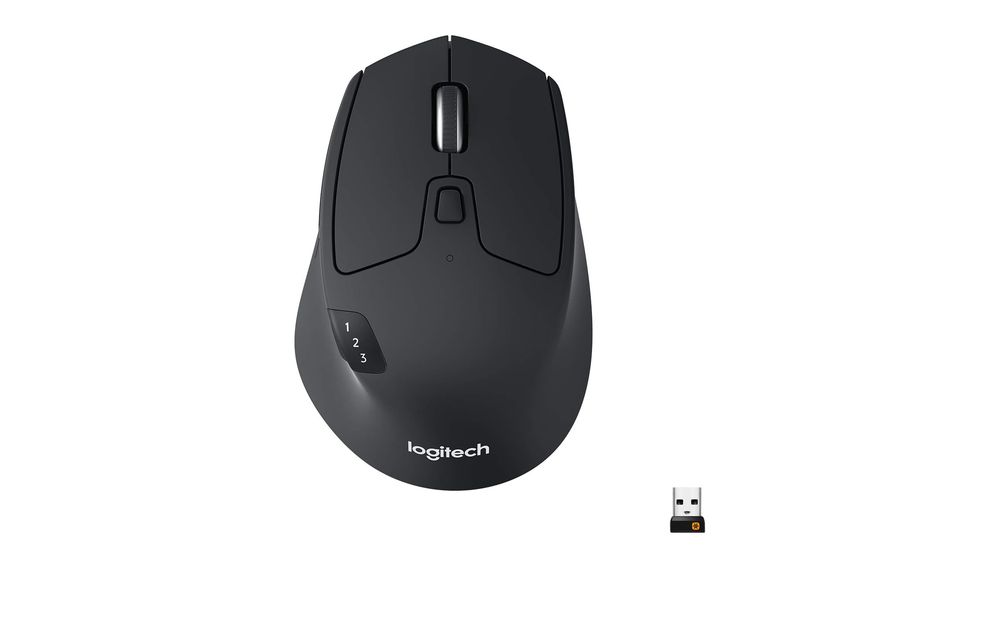
The dual connectivity is a standout feature. You can connect the M720 via Bluetooth or the Logitech Unifying receiver, which supports up to 6 Logitech peripherals. This flexibility is invaluable for users who switch between multiple devices.
Logitech’s FLOW technology takes multi-device use to the next level. You can seamlessly move the cursor, text, and files across multiple computers, switching between them with the touch of a button. This feature is particularly useful for professionals who work on several computers.
However, it’s not without its drawbacks. Some users have noted the thumb button’s placement can lead to accidental presses, and the click sound may be louder than some prefer.
| Pros | Cons |
| ✅ Hyper-fast scrolling with instant-stop ✅ Comfortable grip for right-hand users ✅ Dual connectivity (Bluetooth and Unifying receiver) ✅ Multi-device control with Logitech FLOW ✅ Long-lasting 24-month battery life | ❌ Thumb button placement can cause accidental presses ❌ Click sound may be louder than preferred |
MagSpeed Scrolling and Ergonomic Design: Logitech MX Master 3S for Mac Review | Place 3
The Logitech MX Master 3S for Mac is a remarkable fusion of functionality and comfort, tailored specifically for macOS users. Its standout feature, MagSpeed scrolling, is a game-changer, offering a scrolling experience that is 90% faster and 87% more precise than traditional mice. This ultra-quiet, high-speed scrolling significantly enhances productivity, especially for those who navigate through lengthy documents or web pages.
Ergonomics is another area where the MX Master 3S excels. The mouse is crafted to support a more natural wrist posture, reducing strain during long work sessions. Its silhouette and thumb controls are optimally placed, ensuring a comfortable and intuitive user experience.
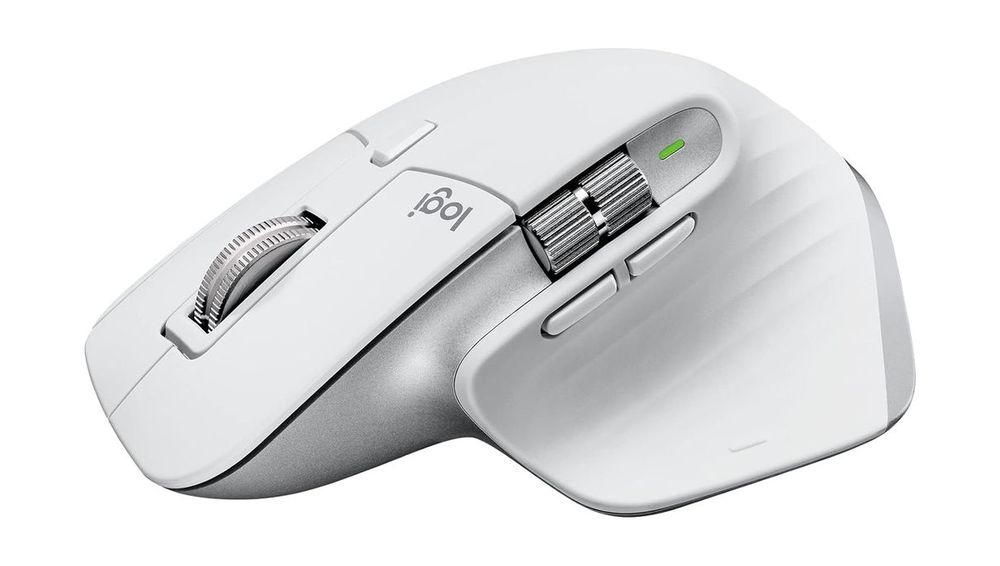
For Mac users, the MX Master 3S offers seamless integration with macOS and iPadOS, enhancing its appeal. The ability to pair with up to three Mac devices and effortlessly transfer text, images, and files between them elevates the multi-device workflow to new heights.
However, it’s important to note some potential drawbacks. The mouse’s size may be cumbersome for users with smaller hands, and the placement of the Easy-Switch button could be more accessible.
| Pros | Cons |
| ✅ MagSpeed scrolling: Fast and precise ✅ Ergonomically designed for comfort ✅ Optimized for macOS and iPadOS ✅ Multi-device connectivity ✅ USB-C rechargeable with long battery life | ❌ Potentially large for small hands ❌ Easy-Switch button placement |
Ultra-Lightweight Gaming Mastery: Logitech G PRO X SUPERLIGHT Review | Place 4
The Logitech G PRO X SUPERLIGHT redefines the standards for gaming mice, especially for Mac users. This mouse, meticulously designed with input from esports professionals, is engineered for winning. Its ultra-lightweight design, weighing under 63 grams, offers a nearly 25% weight reduction compared to standard wireless mice, making it a top choice for gamers seeking agility and precision.
One of the most impressive features of the PRO X SUPERLIGHT is its HERO Sensor, offering incredibly precise, fast, and consistent control. This sensor, developed by Logitech G engineers, is designed to deliver the best possible gaming performance, making every movement count.

The mouse’s large, zero-additive PTFE feet provide a smooth glide, ensuring a fluid connection with the game. This feature is particularly beneficial for gamers who rely on swift and accurate movements.
Despite its lightweight design, the PRO X SUPERLIGHT does not compromise on durability or functionality. It’s powered by Lightspeed, Logitech’s fastest and most reliable wireless technology, ensuring that every action is instantaneous and reliable.
However, it’s important to note some potential drawbacks. The absence of a DPI button and RGB lighting might be a downside for some users, and the reliance on Logitech’s G HUB software for customization can be a point of contention.
| Pros | Cons |
| ✅ Ultra-lightweight design ✅ Precise HERO Sensor ✅ Smooth PTFE feet glide ✅ Fast Lightspeed wireless technology ✅ Durable and reliable build | ❌ No DPI button ❌ Requires G HUB software |
Ultra-Light Precision: Keychron M3 Mini Wireless Optical Mouse Review | Place 5
The Keychron M3 Mini Wireless Optical Mouse is a game-changer in the realm of wireless mice, especially for Mac users. Weighing a mere 55 grams, it’s an ultra-lightweight option that doesn’t sacrifice performance. Its versatility is unmatched, supporting both 2.4 GHz wireless and Bluetooth 5.1 connections, making it perfect for various scenarios, from intense gaming sessions to productive workdays.
A standout feature of the M3 Mini is its PixArt 3395 sensor chip, offering up to 26,000 DPI and 650 IPS. This level of precision is unparalleled, ensuring that every movement is tracked with impeccable accuracy, whether in high-stakes gaming or detailed graphic design work.
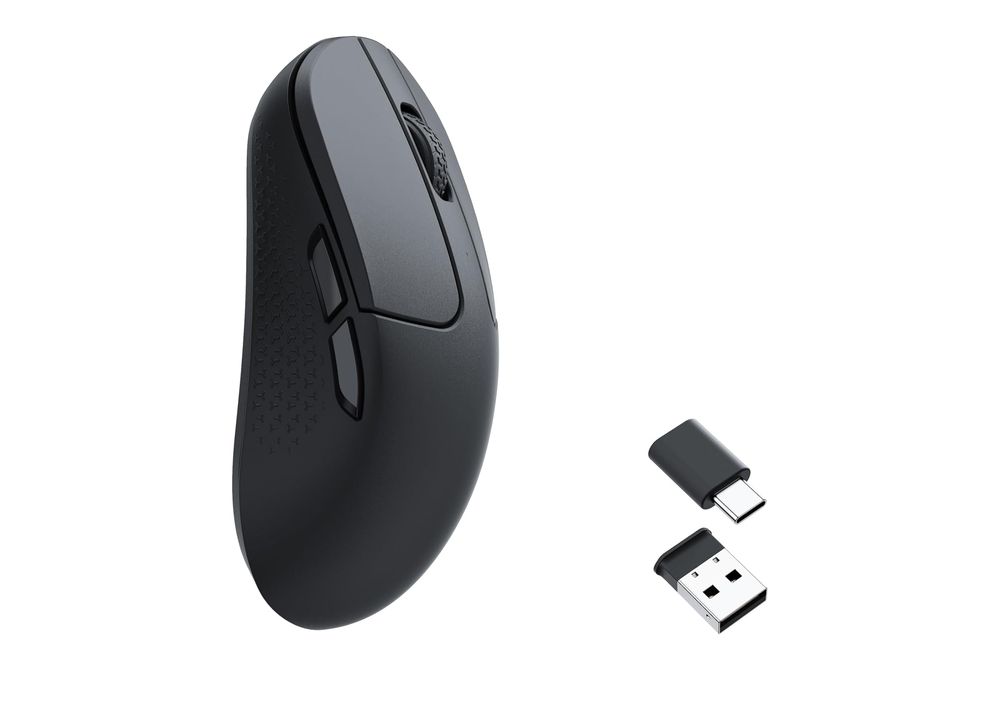
Customization is a breeze with the Keychron Engine, which supports both Windows 11/10 and macOS. Users can personalize keys, set shortcuts, adjust RGB lighting effects, and fine-tune professional settings like LOD, polling rate, and DPI. This level of customization is a significant advantage for users who demand a tailored experience.
Durability is another strong suit of the M3 Mini. It boasts a battery life of up to 70 hours and a micro switch lifespan of 80 million clicks. The ergonomic design and durable Teflon mouse feet ensure comfort and longevity, even during extended use.
However, it’s important to note that the ultra-lightweight design might not appeal to all users, especially those accustomed to a heavier mouse. Additionally, the high DPI settings may be overkill for casual users.
| Pros | Cons |
| ✅ Ultra-lightweight at 55 grams ✅ High precision with PixArt 3395 ✅ Customizable via Keychron Engine ✅ Long battery life and durability ✅ Ergonomic and comfortable design | ❌ May feel too light for some ❌ High DPI overkill for casual use |
What Makes a Gaming Mouse ‘Best’ for Mac? A top-tier gaming mouse for Mac isn’t just about aesthetics. It’s a blend of high DPI (dots per inch) for precise tracking, ergonomic designs for comfort during long gaming sessions, and compatibility with macOS. Different types include wired, wireless, and those with customizable buttons for a tailored gaming experience.
Top 8 Brands and Their Best Mice
- Logitech G502: High precision, customizable weights.
- Razer DeathAdder: Ergonomic, high-speed tracking.
- Corsair Harpoon: Wireless, lightweight, budget-friendly.
- SteelSeries Rival 600: Dual sensors, lift-off detection.
- Apple Magic Mouse: Multi-touch surface, sleek design.
- HyperX Pulsefire: Comfortable, well-balanced.
- Asus ROG Gladius: Durable, swap-out switches.
- Alienware AW610M: Iconic design, customizable lighting.
7 Buying Criteria for a Gaming Mouse
- DPI and Sensitivity: Higher DPI for precision, adjustable for versatility.
- Ergonomics: Comfortable grip, suitable for long gaming sessions.
- Buttons: Programmable for custom actions.
- Build Quality: Durable materials, withstands wear and tear.
- Connectivity: Wired for speed, wireless for convenience.
- Compatibility: Seamless integration with macOS.
- Brand Reputation: Trustworthy brands with reliable customer support.

Incorporating Expert Insights
- Statistics: Around 20% of Mac users in the U.S. game on their devices.
- Fact: Gaming mice offer customizable buttons and higher DPI.
- Quote: “A good gaming mouse can be the difference between being at the top of the leaderboard and being at the bottom,” – Mark Knapp, TechRadar.
Potential Weaknesses in Gaming Mice
- Sensor Inaccuracy: Look for high-quality sensors to avoid lag.
- Ergonomic Flaws: Test for comfort to prevent strain.
- Compatibility Issues: Ensure full functionality with macOS.
Testing Your Gaming Mouse: Ensuring the Best Performance on Mac
Hey there, Mac Gamer! Picked a gaming mouse and eager to see how it fares on your Mac? Testing your mouse is key to ensuring it meets your gaming needs. Here’s a guide to thoroughly test your gaming mouse for the best experience on your Mac.
Responsiveness and Sensitivity
Start by checking the responsiveness and sensitivity. Adjust the DPI settings and observe how the cursor responds to your movements. It should be smooth and accurate, with no lag.
Button Functionality
Test each button for functionality. Make sure they are easy to press and register your clicks accurately. This is crucial for games that require quick and precise actions.
Scroll Wheel and Side Buttons
Don’t forget the scroll wheel and side buttons. They should scroll smoothly and the side buttons must be conveniently placed for easy access during intense gaming sessions.
Ergonomics and Grip
Assess the ergonomics and grip. The mouse should fit comfortably in your hand, reducing strain during long gaming periods. Check if it supports your grip style – be it palm, claw, or fingertip.
Customization Software
Explore the customization software. It should be compatible with macOS and offer easy customization of buttons, DPI settings, and lighting (if applicable).
Wireless Performance (If Applicable)
If you’re using a wireless mouse, evaluate its wireless performance. Look for stable connectivity and check the battery life to ensure it doesn’t interrupt your gaming experience.
Buyer Avatars: Who Are You?
- The Hardcore Gamer: Prioritize precision, ergonomics, and customization.
- The Casual Player: Look for comfort and basic functionality.
- The Tech Enthusiast: Seek cutting-edge features and design.
Conclusion
Choosing the best gaming mouse for your Mac involves considering various factors like DPI, ergonomics, and compatibility. With this guide, you’re equipped to make an informed decision.
FAQs
What is DPI in a gaming mouse?
DPI measures the mouse’s sensitivity. Higher DPI means more cursor movement on screen per inch of mouse movement.
Can I use a gaming mouse for everyday computing?
Absolutely! Gaming mice are often more ergonomic and customizable, making them great for daily use.
How important is the build quality of a gaming mouse?
Very. A well-built mouse withstands intense gaming and lasts longer.
Are wireless gaming mice as good as wired ones?
Yes, modern wireless mice offer performance comparable to wired models.
Do I need a gaming mouse specifically for Mac?
While not necessary, a Mac-compatible gaming mouse ensures better integration and functionality.
Owen, your post struck a chord with me. It brought back memories of my experiences in the same field. I particularly enjoyed your take on the subject, although I wonder if you’ve considered the potential impact of recent legislative changes? 🤔 Also, could the increasing globalization play a significant role in the future? I’d love to hear your thoughts. Keep these insightful pieces coming! 🙌