


Are you a Roblox enthusiast looking for the perfect laptop to elevate your gaming experience? Look no further! Our comprehensive guide delves into the best laptops for Roblox, ensuring you make an informed decision for an unmatched gaming session.
In the dynamic world of Roblox, where creativity and gaming collide, the right laptop can be your gateway to endless adventures. But with so many options, how do you choose the best one? That’s where we come in, guiding you through the maze of choices to find your ideal gaming companion.
TL;DR: Key Takeaways
- Optimal Performance: Discover laptops that offer the perfect balance of power and performance for Roblox.
- Budget-Friendly Options: Explore top picks that won’t break the bank.
- High-End Choices: For those seeking the ultimate gaming experience, we’ve got you covered.
- User-Friendly Features: Learn about laptops with features that enhance your Roblox gameplay.
- Durability and Design: Find laptops that are built to last and look good.
Lenovo Chromebook C330: A Roblox Gamer’s Delight | Place 1
The Lenovo Chromebook C330 emerges as a strong contender for Roblox enthusiasts seeking a reliable, budget-friendly laptop. This 2-in-1 Chromebook, with its 10-point touchscreen, offers a versatile gaming experience, allowing players to seamlessly switch between laptop and tablet modes. The 11.6-inch display, though not the largest, provides sufficient screen real estate for immersive gameplay.
Under the hood, the Chromebook C330 is powered by a MediaTek Mt8173C CPU and 4 GB of RAM, ensuring smooth performance in most Roblox games. The 64 GB hard disk size is ample for storing games and other applications. Running on Chrome OS, this laptop offers a user-friendly interface, making it ideal for younger gamers or those new to gaming laptops.
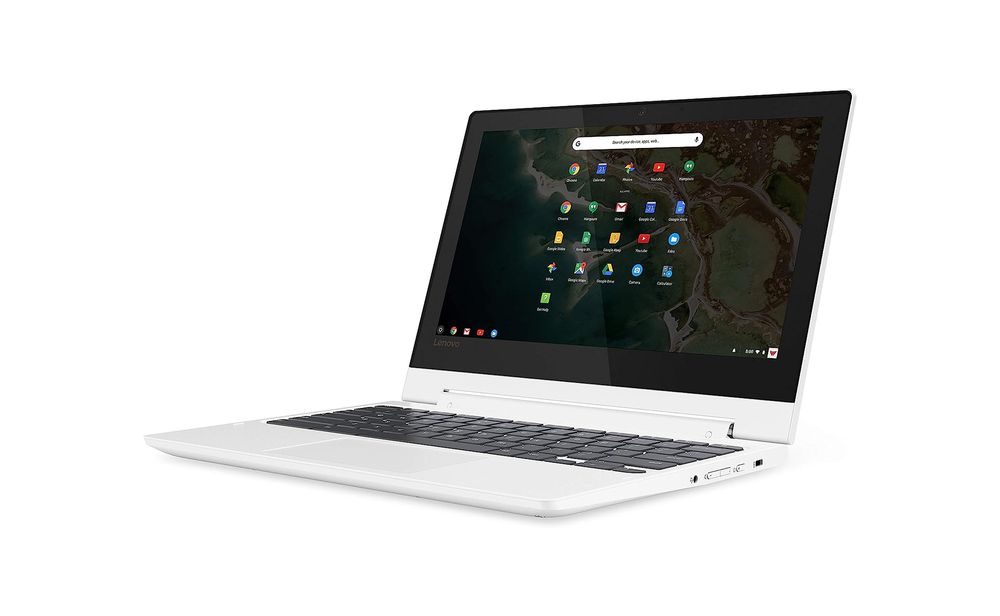
The Chromebook’s lightweight design, weighing just about the size of a hardback book, makes it highly portable. This feature is particularly beneficial for gamers who like to play on the go. Additionally, its long battery life ensures uninterrupted gaming sessions, a crucial factor for any dedicated gamer.
| Pros | Cons |
| ✅ Versatile 2-in-1 touchscreen ✅ Lightweight and portable design ✅ Ample storage for games ✅ User-friendly Chrome OS ✅ Long battery life for gaming | ❌ Limited screen size ❌ Not suitable for high-end gaming |
SAMSUNG Galaxy Chromebook: Compact Powerhouse for Roblox Gaming | Place 2
The SAMSUNG Galaxy Chromebook, with its 11.6-inch display, is a robust choice for Roblox gamers seeking a compact and efficient gaming laptop. This Chromebook stands out with its military-grade durability, ensuring it can withstand the rigors of daily use and accidental bumps. The ultra-fast Gigabit Wi-Fi connectivity is a boon for gamers, offering seamless online gaming experiences without lag.
Powered by an Intel Celeron N4000 processor and equipped with 4GB RAM, the Galaxy Chromebook handles Roblox games with ease, providing a smooth and enjoyable gaming experience. The 64GB hard disk size is ample for storing games and other essential apps. Running on Chrome OS, this laptop offers a user-friendly and secure environment, with multiple layers of built-in virus protection.

One of the most significant advantages of this Chromebook is its long battery life. With up to 12.5 hours of power, gamers can enjoy extended play sessions without the need for constant recharging. Additionally, the Google Assistant feature enhances the overall user experience, allowing voice commands for various tasks.
| Pros | Cons |
| ✅ Compact and lightweight design ✅ Military-grade durability ✅ Fast Wi-Fi connectivity ✅ Long battery life ✅ Google Assistant enabled | ❌ Limited screen size ❌ Not suitable for high-end gaming |
HP Chromebook 11-inch Laptop: Your Portable Gateway to Roblox Fun | Place 3
The HP Chromebook 11-inch Laptop emerges as a top contender for Roblox enthusiasts seeking a blend of portability and performance. This Chromebook is a testament to efficiency, equipped with a MediaTek MT8183 processor and 4GB RAM, ensuring smooth gameplay and multitasking ease. Its compact size, coupled with an 11.6-inch anti-glare screen, makes it an ideal companion for both gaming and academic tasks.
The HP Chromebook 11-inch Laptop is perfect for gamers who prioritize mobility and seamless online connectivity. Its robust build and efficient optics offer a balanced gaming experience without compromising on battery life. The integration of Google Chrome and Android apps adds to its appeal, making it a versatile choice for both gaming and everyday use.

| Pros | Cons |
| ✅ Lightweight and travel-friendly ✅ Long-lasting battery life ✅ Fast and responsive MediaTek processor ✅ High-definition anti-glare screen ✅ Robust Wi-Fi and Bluetooth connectivity | ❌ Limited screen size for gaming ❌ Not suitable for high-end graphics |
SAMSUNG XE350XBA-K01US Chromebook 4: A Robust Companion for Everyday Use | Place 4
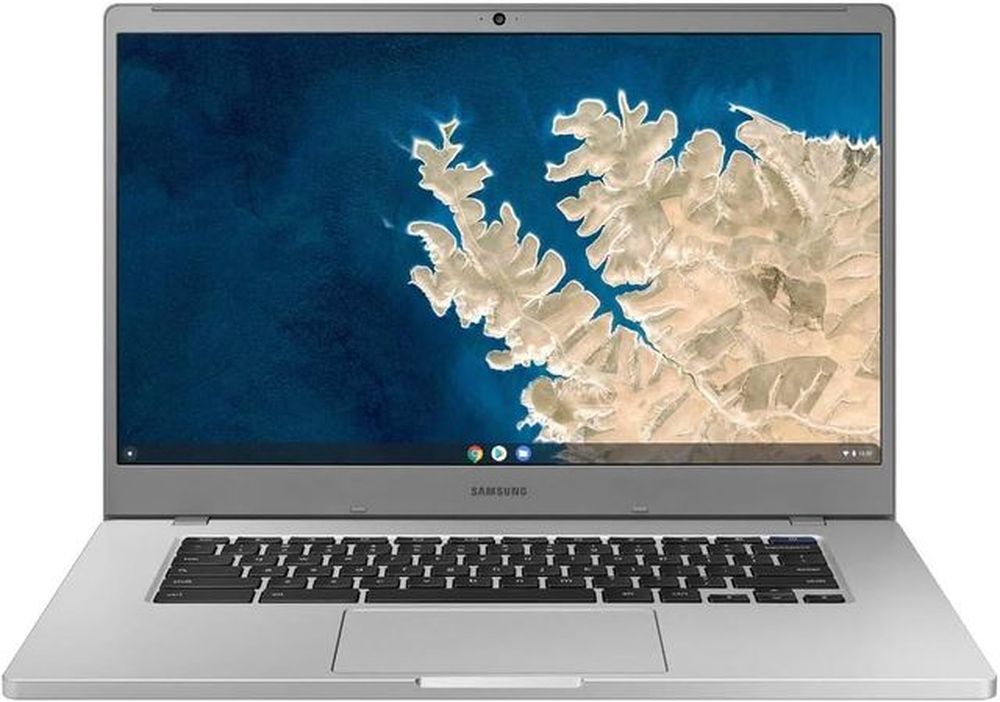
The SAMSUNG XE350XBA-K01US Chromebook 4 stands out with its large 15.6-inch display, housed in a surprisingly compact frame. This Chromebook is not just about size; it’s about resilience and performance. With military-grade durability, it’s built to withstand the rigors of daily use, making it a reliable choice for both students and professionals.
The SAMSUNG XE350XBA-K01US Chromebook 4 is an excellent choice for those who need a durable, secure, and efficient laptop for everyday tasks. Its large screen offers a comfortable viewing experience, while the long battery life ensures productivity throughout the day. This Chromebook is particularly suited for users who rely heavily on web-based applications and Google services.
| Pros | Cons |
| ✅ Expansive 15.6-inch immersive display ✅ Military-grade durability for robust use ✅ Ultra-fast Gigabit Wi-Fi connectivity ✅ Advanced security with virus protection ✅ Impressive 10.5-hour battery life | ❌ Limited to Chrome OS capabilities ❌ No touchscreen functionality |
Microsoft Surface Laptop Go: Compact Powerhouse for Everyday Use | Place 5
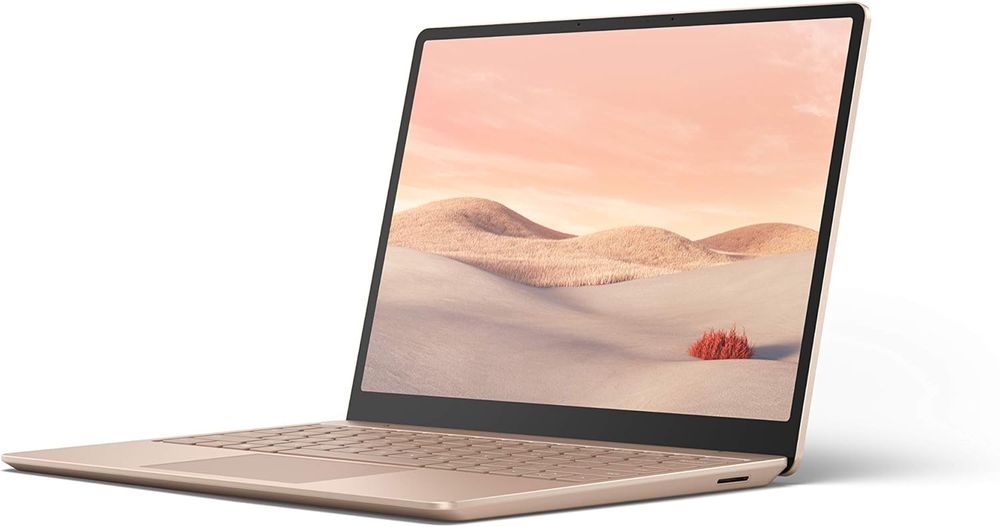
The Microsoft Surface Laptop Go is a testament to compact efficiency and style. Weighing just 2.44 pounds and measuring a mere 15.69 mm thin, it’s an ideal companion for those on the move. Its 12.4” PixelSense touchscreen display offers a vibrant and interactive experience, perfect for both work and leisure.
The Microsoft Surface Laptop Go is a great choice for students and professionals who value portability without sacrificing performance. Its sleek design, combined with a responsive touchscreen and secure sign-in options, makes it a versatile tool for various tasks. Whether it’s for schoolwork, browsing, or binge-watching, this laptop is equipped to handle it all with ease.
| Pros | Cons |
| ✅ Expansive 15.6-inch immersive display ✅ Military-grade durability for robust use ✅ Ultra-fast Gigabit Wi-Fi connectivity ✅ Advanced security with virus protection ✅ Impressive 10.5-hour battery life | ❌ Limited to Chrome OS capabilities ❌ No touchscreen functionality |
What Makes a Laptop Great for Roblox?
A best laptop for Roblox isn’t just about raw power. It’s a blend of performance, portability, and price. From budget-friendly models to high-end gaming beasts, the range is vast. Key factors include processor speed, graphics capabilities, RAM, and a display that brings the vibrant world of Roblox to life.
The Elite Eight: Top Laptops for Roblox
- Dell Inspiron Series: Affordable yet powerful, perfect for casual gamers.
- HP Pavilion Gaming: A balance of performance and price.
- Lenovo Legion: High-end gaming prowess.
- Acer Nitro 5: Budget-friendly with solid gaming capabilities.
- Asus ROG Series: For the serious gamer demanding top-notch performance.
- MSI GF63 Thin: Sleek design meets gaming efficiency.
- Apple MacBook Pro: For those who prefer macOS, offering robust performance.
- Razer Blade 15: The epitome of gaming luxury, with unmatched power.
Each of these laptops has its unique strengths and weaknesses, catering to different types of Roblox players.
Buying Criteria for the Best Laptops for Roblox
Hey Gamer! Are you in search of the perfect laptop to enhance your Roblox experience? Picking the right one can be a game-changer. Here’s what you need to consider to find the best laptop for playing Roblox.
Performance and Speed
Roblox demands a laptop with good performance and speed. Look for a processor capable of handling the game’s requirements, like an Intel Core i5 or AMD Ryzen 5, coupled with at least 8GB of RAM for smooth gameplay.
Graphics Quality
For an immersive experience, the graphics quality is key. A dedicated graphics card, such as NVIDIA GeForce or AMD Radeon, will ensure Roblox runs smoothly with vibrant visuals.
Display and Resolution
A laptop with a high-quality display and resolution will make your Roblox world come to life. Aim for a Full HD (1920×1080) screen for clear and detailed graphics.
Battery Life
Don’t let a dying battery interrupt your game. Opt for a laptop with long battery life, giving you several hours of uninterrupted playtime.
Portability
If you love gaming on the go, portability matters. A lightweight and compact laptop will be your best companion for gaming anywhere, anytime.
Price
Finally, consider your budget. Balance the price with the features you need. There are great options available at various price points, so you can find one that fits your wallet and your gaming needs.
Incorporating Expert Insights and Facts
- Statistics: TechRadar’s survey highlights the preference for laptops in the Roblox community.
- Fact: Roblox Corporation’s minimum system requirements guide your baseline choice.
- Expert Opinion: Matt Smith emphasizes the balance between performance and budget.
Potential Weaknesses in Roblox Laptops
- Overheating: High-performance games can strain the system.
- Battery Drain: Intensive gaming can deplete batteries quickly.
- Limited Upgradeability: Some laptops offer limited options for upgrades.
Quality Tests for Your New Roblox Laptop
Performance Benchmarking
Run benchmark tests to evaluate the laptop’s capabilities.
Heat Management
Check how the laptop handles extended gaming sessions.
Battery Endurance
Test the battery life under different usage scenarios.
Display and Sound Quality
Assess the visual and audio output for an immersive experience.
Keyboard and Touchpad Responsiveness
Ensure comfortable and responsive controls.
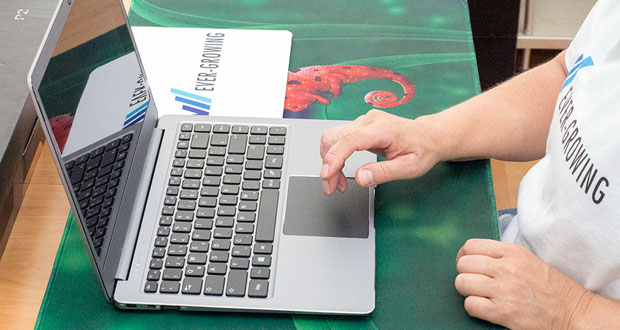
Buyer Avatars: Who Are You in the Roblox World?
- The Casual Gamer: Prioritizes budget and basic performance.
- The Enthusiast: Looks for a balance of performance and price.
- The Pro Gamer: Seeks top-tier specs for the ultimate gaming experience.
Conclusion: Your Gateway to Roblox Mastery
Choosing the best laptop for Roblox is a journey of balancing performance, price, and personal preference. Our guide aims to equip you with the knowledge to make an informed decision, ensuring your Roblox adventures are as limitless as your imagination.
FAQs
What is the best budget laptop for Roblox?
The Acer Nitro 5 offers a great balance of price and performance.
What should I prioritize for the best Roblox experience?
Focus on processor speed, graphics card, and RAM.
How important is the display for Roblox gaming?
A high-quality display enhances the immersive experience.
Can I upgrade my laptop for better Roblox performance?
This depends on the laptop model; some allow for upgrades, while others don’t.
Owen, your post truly sparked some nostalgia for me. It brought back memories of my time as a Boy Scout, trying to build my very first fire. The struggle, the perseverance, yet the sense of accomplishment when I could finally create a flicker. 🙌
I’m impressed by your detailed instructions on building the perfect campfire, but it made me wonder, how much does the type of wood play a role in this process? And humidity? Would love to hear your take on this.
Another aspect that could potentially be valuable for readers might be to discuss safety measures when handling open fires. 🔥 Perhaps a follow-up post on that?
Initiating a discussion, has anyone else encountered issues with the fire simply refusing to light? Or experiences where it’s been too windy for too long and nothing seemed to work?
Great read, so thanks for pouring your experience into this & stirring some great outdoor memories. Looking forward to your response!💫