

![Top Picks: Best Gaming Monitor for Xbox Series X in [Current Year] - Enhance Your Gaming Experience](https://outsidergaming.com/wp-content/uploads/2024/05/Find-Your-Perfect-Match-Best-Xbox-Series-X-Gaming-Monitors-Reviewed.jpg "Find Your Perfect Match Best Xbox Series X Gaming Monitors Reviewed")
Choosing the right gaming monitor for your Xbox Series X can transform your gaming sessions from good to legendary. But with so many options, how do you pick the perfect one? Let’s dive into what makes a gaming monitor stand out, ensuring you get the best possible experience.
TL;DR: Key Takeaways
- Understand the importance of refresh rates and resolution for a seamless gaming experience.
- Discover the top brands that offer the best performance and reliability.
- Learn about the essential buying criteria to consider before making your purchase.
Best Gaming Monitors for Xbox Series X in 2024
Unparalleled Performance: SAMSUNG 32″ Odyssey Neo G8 4K | Place 1
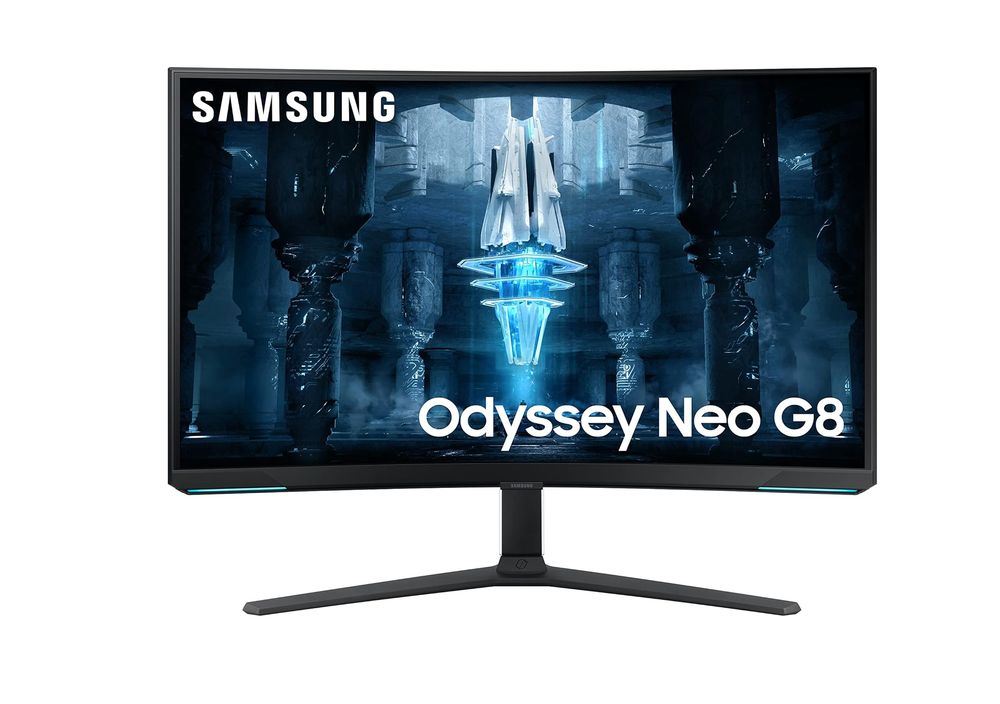
Experience a leap in gaming monitor technology with the SAMSUNG 32″ Odyssey Neo G8 4K. As the world’s first 4K gaming monitor with a blistering 240Hz refresh rate, the G85NB is a game-changer, especially when combined with a 1ms(GTG) response time and AMD FreeSync Premium Pro. Quantum Matrix Technology with Quantum Mini LEDs offers precise brightness and impeccable contrast, defining visuals like never before.
The monitor’s 1000R curvature mirrors the human eye’s natural curve, pulling you into a more immersive gaming environment. This curvature, coupled with HDR2000, allows for superior color depth and detail, showcasing scenes from shadowed dungeons to sunlit landscapes with stunning clarity and brilliance. Additionally, the matte display minimizes distractions by reducing glare, ensuring your focus remains unbroken during intense gameplay sessions.
For gamers seeking the cutting edge of monitor technology and performance, the SAMSUNG 32″ Odyssey Neo G8 4K is a compelling choice, providing an unmatched visual feast that heightens every gaming moment.
| Pros | Cons |
| ✅ World-first 4K 240Hz refresh rate ✅ 1ms response time, AMD FreeSync ✅ Quantum Matrix Technology ✅ 1000R curvature for immersion ✅ Matte display reduces glare | ❌ Premium price tag ❌ Requires powerful GPU |
High-Speed Clarity: LG 27″ UltraGear 4K UHD’s 144Hz Brilliance | Place 2
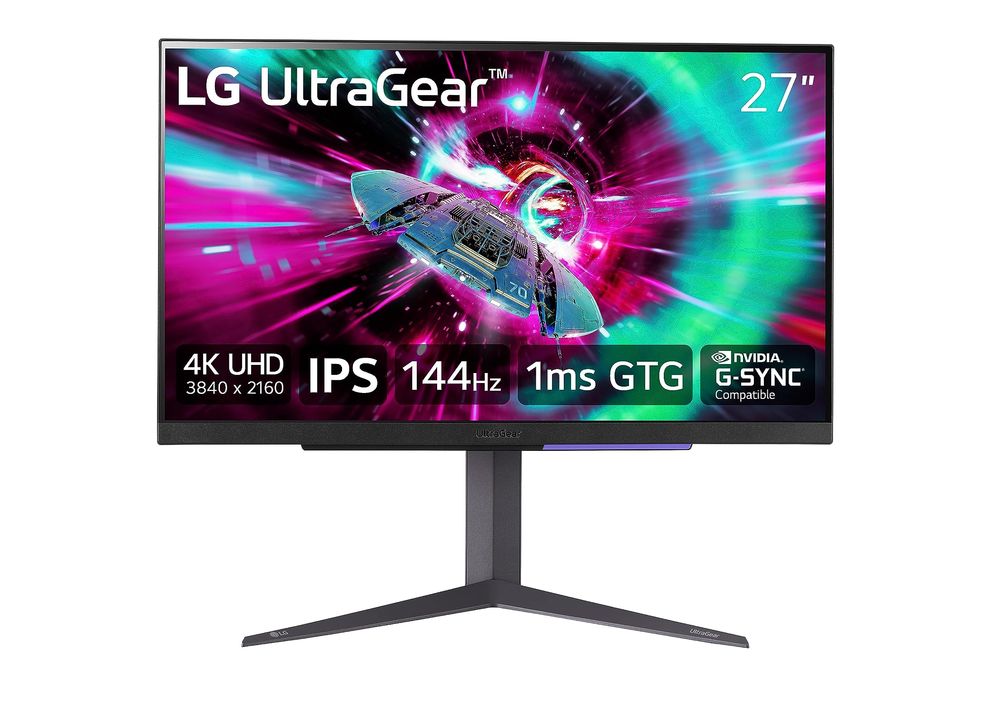
Harness the full potential of your Xbox Series X with the LG 27″ UltraGear 4K UHD monitor. This top-tier display offers not just a stunning 4K UHD resolution but does so at an exhilarating 144Hz refresh rate through HDMI 2.1, making it a haven for console and PC gamers alike. Its 1ms (GtG) response time ensures that every moment on screen is as crisp and clear as reality, allowing for precise, ghost-free visuals essential in fast-paced games.
NVIDIA G-SYNC and AMD FreeSync Premium technologies synchronize refresh rates to your gaming hardware, providing a smooth, artifact-free gaming experience even during intense action scenes. The monitor also covers up to 95% of the DCI-P3 color spectrum, supported by VESA DisplayHDR 400, ensuring vivid colors and deep contrasts that bring virtual worlds to life.
Whether you’re diving into expansive RPGs or competitive gaming, the LG 27″ UltraGear provides a captivating visual feast that’s hard to match. Its sleek design and robust build quality fit perfectly in any gaming setup, promising durability and style. Enhance your gaming sessions and go beyond the standard with this exceptional LG gaming monitor.
| Pros | Cons |
| ✅ 4K UHD resolution, perfect clarity ✅ Fast 144Hz refresh rate ✅ NVIDIA G-SYNC and AMD FreeSync ✅ VESA DisplayHDR 400 support ✅ High color fidelity (95% DCI-P3) | ❌ HDR performance may vary ❌ Premium price point |
Elevate Your Gaming: Alienware AW2724DM Gaming Monitor | Place 3
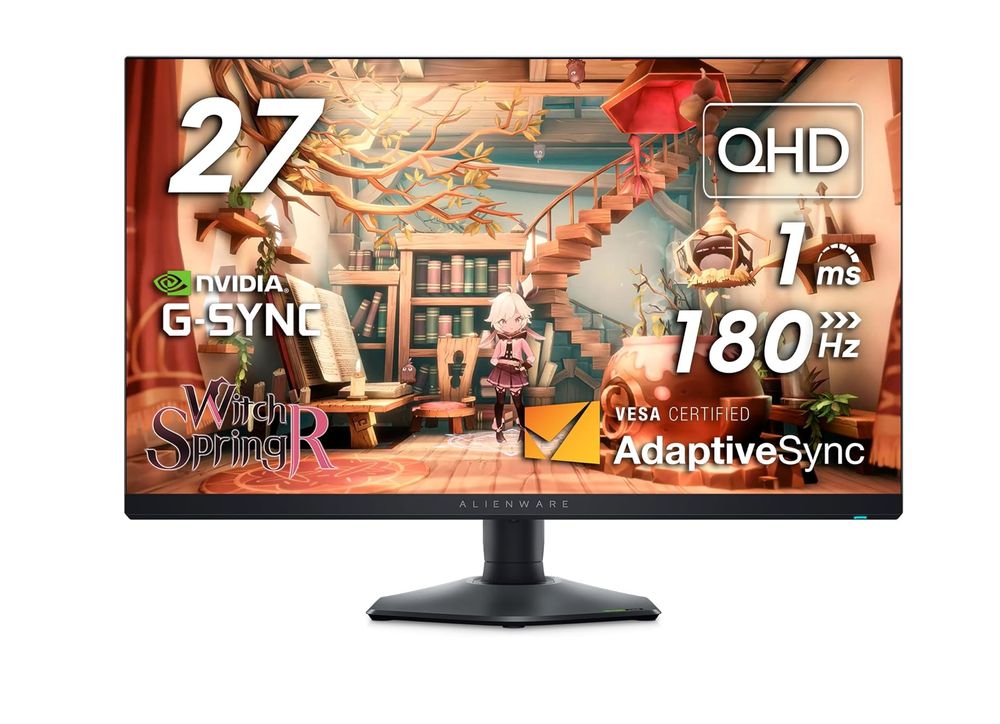
Unlock a premium gaming experience with the Alienware AW2724DM Gaming Monitor, designed for enthusiasts seeking flawless performance and high-fidelity visuals. This monitor combines AMD FreeSync Premium Pro technology, NVIDIA GSYNC compatibility, and VESA AdaptiveSync certification, ensuring a smooth, seamless gameplay without any stutter or tearing. Experience life-like details and vibrant scenes thanks to the VESA Display HDR 600 certification and extensive DCI-P3 95% color coverage, calibrated with supreme accuracy.
Moreover, the Alienware AW2724DM is crafted with gamers’ comfort in mind, featuring ComfortView Plus technology that minimizes blue light emissions without sacrificing color quality, allowing for extended gaming sessions without eye strain. The contemporary design of the Legend 2.0 ID with a hexagonal base and customizable AlienFX Lighting only adds to its appeal, making it a stylish addition to any setup.
| Pros | Cons |
| ✅ Seamless gameplay with 180Hz refresh rate ✅ Detailed, high-contrast HDR visuals ✅ Low blue light for extended comfort ✅ Robust, adjustable stand with AlienFX Lighting ✅ Comprehensive 3-year warranty with Dell | ❌ Premium pricing segment ❌ Limited HDR capabilities in dark scenes |
Dell G2724D Gaming Monitor: A New Dimension of Clarity | Place 4
The Dell G2724D Gaming Monitor is redefining what gamers can expect from a high-performance display. Featuring VESA DisplayHDR 400 with an impressive 99% sRGB color coverage, this monitor delivers vibrant colors and deeper blacks for a truly immersive gaming experience. With both AMD FreeSync Premium and NVIDIA G-SYNC compatibility, the Dell G2724D ensures fluid, tear-free gameplay, making it ideal for high-speed action games.
Its fully ergonomic stand offers a range of adjustabilities, including tilt, swivel, pivot, and a 130 mm height adjustment, making it easy to find the perfect viewing angle during long gaming sessions. Additionally, the monitor comes with versatile connectivity options, supporting everything from desktop PCs to the latest gaming consoles, ensuring it’s a fit for any setup.

| Pros | Cons |
| ✅ High Dynamic Range with precise colors ✅ Fluid gameplay with FreeSync and G-SYNC ✅ Versatile connectivity for all devices ✅ Ergonomic stand for comfort ✅ Reliable 3-year warranty | ❌ Premium investment for a monitor ❌ No built-in speakers for audio |
Impeccable Design Meets Unparalleled Performance: Alienware AW3423DW | Place 5
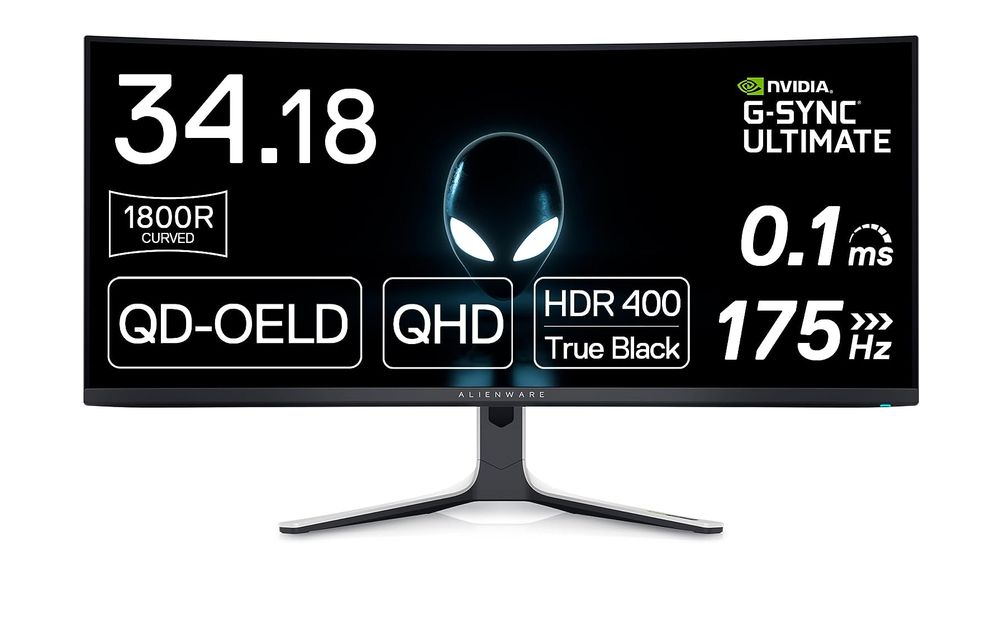
The Alienware AW3423DW stands out with its cutting-edge QD-OLED display, showcasing a curved 1800R panel that immerses gamers in a spectacle of vibrant colors and profound blacks. This 34-inch monitor excels in delivering high-speed, stutter-free performance with its NVIDIA G-SYNC ULTIMATE certification, boasting a 0.1 ms GtG response time and a 175 Hz refresh rate. Perfect for competitive and hardcore gamers alike, the AW3423DW enhances gaming environments with customizable stadium loop OLED AlienFX lighting and provides critical color precision through its Creator Mode.
Ergonomic features such as height, swivel, and tilt adjustments make long gaming sessions comfortable, complemented by an anti-glare screen that minimizes distractions. Its environmental robustness is proven by a wide operating temperature range and humidity resilience, ensuring reliability under various indoor conditions. Not just a gaming marvel, the Alienware AW3423DW is also built for creative professionals who need high fidelity in color-critical applications.
| Pros | Cons |
| ✅ Deep, immersive curved display ✅ Ultra-fast 175 Hz refresh rate ✅ High-fidelity Quantum Dot colors ✅ Customizable AlienFX lighting ✅ Robust ergonomic adjustments | ❌ Premium price point ❌ Limited HDR content enhancement |
What is a Gaming Monitor for Xbox Series X?
A gaming monitor for the Xbox Series X isn’t just any display. It’s a gateway to immersive worlds, designed to deliver ultra-smooth, crisp visuals that keep pace with the console’s capabilities. These monitors come in various forms, each offering unique advantages, from faster refresh rates and higher resolutions to adaptive sync technologies.
Top Brands and Their Standout Monitors
Several brands consistently outperform the rest when it comes to gaming monitors that are perfect for the Xbox Series X:
- Samsung: Known for their Quantum Dot technology, Samsung’s gaming monitors offer vibrant colors and deep blacks.
- Dell: Offers reliable monitors with excellent panel quality and warranty services.
- LG: Their UltraGear series is a favorite among gamers for its superb color accuracy and response times.
- Asus: Known for ROG Strix monitors, combining aesthetics with performance.
- Acer: Offers a range of Predator monitors that cater to hardcore gamers with cutting-edge features.
- BenQ: Focuses on eye-care technology while providing sharp and precise visuals.
- HP: Delivers a good balance of performance and price, making it a great choice for gamers on a budget.
- MSI: Known for immersive curved monitors that enhance gaming realism.
Buying Criteria for Gaming Monitors
When shopping for a gaming monitor for your Xbox Series X, consider the following features:
- Refresh Rate: A higher refresh rate of at least 120Hz is crucial for smooth, flicker-free visuals.
- Resolution: Look for at least 1440p to match the capabilities of the Xbox Series X.
- Panel Type: IPS panels offer the best color accuracy and viewing angles.
- Response Time: Lower response times mean faster image transitions and less ghosting.
- Connectivity: Ensure it has HDMI 2.1 ports to take full advantage of Xbox Series X features.
- Adaptive Sync: Technologies like FreeSync or G-Sync can greatly reduce screen tearing.
- Size: Depending on your space, choose a size that enhances your gaming experience without overwhelming your setup.
Potential Weaknesses to Watch For
Be aware of these common issues when selecting a gaming monitor:
- Input Lag: High input lag can delay the time between pressing a button and seeing the action on screen.
- Color Accuracy: Some monitors may exhibit poor color reproduction, which can be a dealbreaker for immersive games.
- Brightness Levels: Monitors with inadequate brightness can struggle in well-lit environments.
Quality Tests for Your New Monitor
Before finalizing your purchase, conduct these tests to assess the monitor’s quality:
Color Calibration Test
Use calibration tools to check color accuracy and make adjustments as needed.
Ghosting Test
Run fast-paced games to check for any trailing images or ghosting effects.
Brightness and Contrast Test
Test different settings to find optimal levels for various gaming environments.
Input Lag Test
Measure the responsiveness of your monitor by using specialized input lag tools.
Uniformity Test
Check for consistent brightness and color across the entire screen surface.
Buyer Avatars: Who Should Buy These Monitors?
- The Competitive Gamer: Needs a monitor with the lowest response time and highest refresh rate.
- The Casual Gamer: Should look for good color accuracy and connectivity options for a versatile setup.
- The Tech Enthusiast: Will value cutting-edge features like HDR and 4K resolution.
Conclusion
Investing in the right gaming monitor for your Xbox Series X can dramatically enhance your gaming experience. Consider your gaming style, desired features, and potential limitations to make an informed choice.
FAQs
What makes a gaming monitor compatible with Xbox Series X?
Look for high refresh rates, HDMI 2.1 ports, and adaptive sync capabilities.
How important is the monitor’s resolution for gaming?
Higher resolutions provide sharper images, making details more precise and gameplay more immersive.
Can I use a TV instead of a gaming monitor?
While TVs can be used, monitors usually offer faster response times and refresh rates, essential for gaming.
What is the best size for a gaming monitor?
This depends on your space and viewing distance, but 27 to 32 inches is generally ideal for gaming setups.
Are curved monitors better?
Curved monitors can enhance immersion, especially in widescreen formats.