


The wait is finally over; following several necessary delays en route to release, CD Projekt has welcomed the world of video gaming to Night City with Cyberpunk 2077.
An incredibly deep and detailed game, it’s clear to see that the development team has been hard at work to bring Mike Pondsmith’s tabletop RPG to a digital reality. However, with such a sprawling game comes a great many choices to make and controls to learn.
Here, we’re going through the Cyberpunk 2077 controls that you need to know, as well as some additional features to help you make a name for yourself as V.
In this Cyberpunk 2077 controls guide, the analogues on either console controller are listed as L and R; pressing down on either analogue is shown as L3 and R3. The d-pad controls are shown as Up, Left, Down, and Right.
Cyberpunk 2077 basic controls

These are the basic Cyberpunk 2077 controls for movement, interactions, scanning, and standard combat on the PlayStation 4, PlayStation 5, Xbox One, and Xbox Series X.
| Action | PS4 / PS5 Controls | Xbox One / Series X Controls |
| Move | L | L |
| Look Around | R | R |
| Navigate Dialogue | Up, Down, Square (to select) | Up, Down, X (to select) |
| Sprint | L3 (hold) | L3 (hold) |
| Slide | L3 (hold), O | L3 (hold), B |
| Crouch (Sneak) | O | B |
| Jump | X | A |
| Interact (Sit, Claim, Open) | Square | X |
| Equip Target Item | Triangle | Y |
| Draw Weapon | Triangle | Y |
| See Weapon Wheel | Triangle (hold) | Y (hold) |
| Aim (Ranged) | L2 | LT |
| Shoot (Ranged) | R2 | RT |
| Holster Weapon | Triangle, Triangle | Y, Y |
| Reload | Square | X |
| Quick Melee Attack | R3 | R3 |
| Switch Weapon | Triangle | Y |
| Use Combat Gadget | R1 | RB |
| Aim Combat Gadget | R1 (hold) | RB (hold) |
| Melee Fast Attack | R2 | RT |
| Melee Strong Attack | R2 (hold and release) | RT (hold and release) |
| Melee Block | L2 (hold) | LT (hold) |
| Loot Body (single item) | Square | X |
| Loot Body (collect all items) | Square (hold) | X (hold) |
| Pick Up Body | Triangle (hold) | Y (hold) |
| Drop/Hide Body | Square | X |
| Quick Scan (reveal items) | L1 | LB |
| Scanning Mode | L1 (hold) | LB (hold) |
| Tag Target | L1 (hold), R3 (on target) | LB (hold), R3 (on target) |
| Use Consumable (Heal) | Up | Up |
| Take a Call | Down | Down |
| Access Phone | Down (hold) | Down (hold) |
| Call Vehicle | Right | Right |
| Open Garage (Select Vehicle) | Right (hold) | Right (hold) |
| Switch Active Job | Down (tap) | Down (tap) |
| Open Notification | Left | Left |
| Quick-Access Menu | Triangle (hold) | Y (hold) |
| Zoom In (while aiming) | Up | Up |
| Zoom Out (while aiming) | Down | Down |
| Swim Upward (Surface) | X (hold) | A (hold) |
| Dive Down | O (hold) | B (hold) |
| Fast Swim | L3 (hold) | L3 (hold) |
| Interact Underwater | Square | X |
| Skip Conversation or Ride | O | B |
| Pause Screen | Options | Menu |
| Game Menu | TouchPad | View |
| Photo Mode | L3 + R3 | L3 + R3 |
Cyberpunk 2077 advanced combat controls

In Cyberpunk 2077, you can fight with a gun, a melee weapon, or your fists, with there being several additional manoeuvres for you to pull to help you in combat. In this game, the melee attack controls are the same for melee weapons and unarmed melee combat. So, here are all of the basic and advanced Cyberpunk 2077 combat controls.
| Action | PS4 / PS5 Controls | Xbox One / Series X Controls |
| Draw Weapon | Triangle | Y |
| Aim (Ranged) | L2 | LT |
| Shoot (Ranged) | R2 | RT |
| Reload | Square | X |
| Take Cover | O (behind cover) | B (behind cover) |
| Vault | X (from behind low cover) | A (from behind cover) |
| Shoot from Cover | O (press to hide), L2 (hold to aim over), R2 (to fire) | B (press to hide), LT (hold to aim over), RT (to fire) |
| Slide and Shoot | L3 (to run), O (to slide), L2+R2 (aim and shoot) | L3 (to run), B (to slide), LT+RT (aim and shoot) |
| Switch Weapon | Triangle | Y |
| Holster Weapon | Triangle, Triangle | Y, Y |
| Quick Melee Attack | R3 | R3 |
| Melee Fast Attack | R2 | RT |
| Fast Attack Combo | R2, R2, R2 (press during each swing) | RT, RT, RT (press during each swing) |
| Melee Strong Attack | R2 (hold and release) | RT (hold and release) |
| Melee Block | L2 (hold) | LT (hold) |
| Shove Enemy | L2 (hold), R2 (tap) | LT (hold), RT (tap) |
| Break Enemy Block | R2 (hold and release) | RT (hold and release) |
| Counterattack | L2 (press just before getting hit) | LT (press just before getting hit) |
| Dodge (Evade) | L (to move), O, O (double-tap) | L (to move), B, B (double-tap) |
| Use Combat Gadget | R1 | RB |
| Aim Combat Gadget | R1 (hold) | RB (hold) |
| Use Consumable (Heal) | Up | Up |
Cyberpunk 2077 stealth and hacking controls
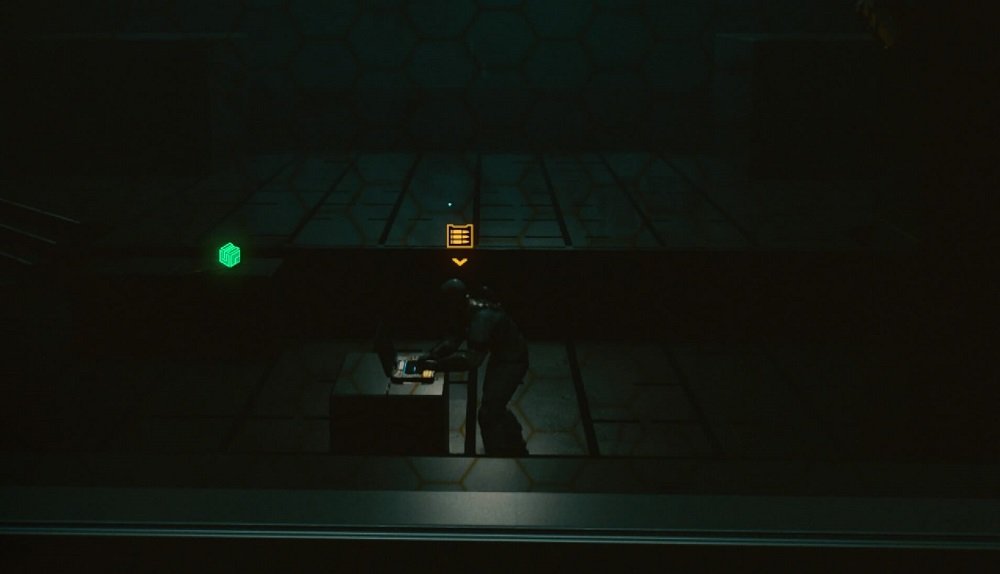
A big part of the Cyberpunk 2077 controls is using stealth and hacking to give yourself an advantage – particularly in the early stages. Here are the Cyberpunk 2077 stealth controls and hacking controls that you need to know.
| Action | PS4 / PS5 Controls | Xbox One / Series X Controls |
| Sneak | O (tap) | B (tap) |
| Grab Enemy | Square (when close and undetected) | X (when close and undetected) |
| Kill Grabbed Enemy | Square | X |
| Non-Lethal Takedown of Grabbed Enemy | Triangle | Y |
| Pick Up Body | Triangle (hold) | Y (hold) |
| Drop Body | Square | X |
| Scanning Mode | L1 (hold) | LB (hold) |
| Tag Target | L1 (hold), R3 (on target) | LB (hold), R3 (on target) |
| Change Target | Left/Right (while scanning) | Left/Right (while scanning) |
| Quickhack Object (green while scanning) | L1 (hold to scan), Up/Down (select quickhack), Square (execute quickhack) | LB (hold to scan), Up/Down (select quickhack), X (execute quickhack) |
| Quickhack Camera Zoom In/Out | Up/Down | Up/Down |
| Exit Quickhack Camera | O | B |
| Breach Protocol Navigation | L | L |
| Breach Protocol Select Code | X | A |
| Exit Breach Protocol | O | B |
| Quickhack Help | L3 | L3 |
Cyberpunk 2077 driving controls

It doesn’t take long for you to get behind the wheel of your first car in Cyberpunk 2077, but you can have just as much fun from the passenger seat. Here’re the Cyberpunk 2077 vehicle controls that you need to know for driving and combat.
| Action | PS4 / PS5 Controls | Xbox One / Series X Controls |
| Enter Vehicle | Square | X |
| Exit Vehicle | O | B |
| Switch Camera | Right | Right |
| Steer | L | L |
| Accelerate | R2 | RT |
| Brake | L2 | LT |
| Draw Weapon | Triangle | Y |
| Holster Weapon (Return to Seat) | Triangle, Triangle (double-tap) | Y, Y (double-tap) |
| Shoot | R2 | RT |
| Aim | L2 | LT |
| Change the Radio | R1 | RB |
| Switch Vehicle Lights | Square | X |
| Honk Horn | L3 | L3 |
| Hijaking Vehicles | Square (on the door) | X (on the door) |
| Call Vehicle | Right | Right |
| Open Garage (Select Vehicle) | Right (hold) | Right (hold) |
| Skip Ride (as a passenger) | O | B |
Cyberpunk 2077 braindance controls

While it’s more common purpose throughout Night City isn’t quite as productive, your introduction to braindances showcases its potential in espionage. Here’re the Cyberpunk 2077 braindance controls needed to utilise the tech.
| Action | PS4 / PS5 Controls | Xbox One / Series X Controls |
| Move Camera | L and R | L and R |
| Play / Pause | Square | X |
| Restart Braindance | Triangle (hold) | Y (hold) |
| Enter Playback/Editor Mode | L1 | LB |
| Rewind | L2 (hold) | LT (hold) |
| Fast-Forward | R2 (hold) | RT (hold) |
| Scan (Object/Audio/Heat Signature) | Hover cursor over signal | Hover cursor over signal |
| Switch Layer (Visual/Thermal/Sound) | R1 | RB |
| Exit Braindance | O | B |
How to change the difficulty on Cyberpunk 2077

Before you commence your adventures in Night City, you’ll be asked which of the four difficulties you’d like to play on: Easy, Normal, Hard, Very Hard. If you’re finding that your chosen option is too easy or too difficult, you can change the difficulty on Cyberpunk 2077 by doing the following:
- In your loaded game, press Options/Menu;
- Press R1/RB to scroll across to ‘Gameplay;’
- Scroll down to the ‘Game Difficulty’ option and use Left/Right to select the difficulty;
- Press O/B to lock-in your changed Cyberpunk 2077 difficulty.
How to save

In Cyberpunk 2077, you’ll find that, if you are defeated during a mission, you’ll be taken back to a checkpoint. However, to return to your game should you exit entirely, you’ll need to make sure that you’ve manually saved the game at least once. Furthermore, as the game is so new and expansive, it can crash now and then, so saving regularly is good practice.
To save the game in Cyberpunk 2077, all that you need to do is press the Options/Menu button on your PlayStation or Xbox controller, scroll down to ‘Save Game,’ press ‘Select’ (X/A), and then create a save file.
Alternatively, you can press Options/Menu to bring up the pause screen and then press Triangle/Y to perform a quick save.
How to skip time
You may find that instead of keeping yourself busy until it’s time for a mission or job, you’d rather just skip time in Cyberpunk 2077.
To do this, you just need to press TouchPad/View to bring up the game menu, and then navigate the cursor towards the bottom left. Press X/A on the ‘Skip Time’ button to bring up the option for you to ‘Choose How Long to Wait.’ Use the arrows on either side of the timeslot to increase or decrease your wait time, which can span from one hour to 24 hours. When you’re done, press Square/X to commence the time skip.
With the Cyberpunk 2077 controls to hand, you can set about taking over the streets of Night City.