


Madden 24 releases worldwide on Friday, August 18th. Many players were able to secure early access with an EA Play membership or by purchasing the Deluxe edition. Whether you are coming off a few years break from the Madden franchise or just played Madden 23 yesterday, there is always value in revisiting a comprehensive control guide to freshen up.
Below, you will read:
- An overview of all Madden 24 controls for PlayStation and Xbox
- Tips for each section of the Madden 24 controls for PlayStation and Xbox
- General tips for playing Madden 24
Ball Carrier

Gaining yards and protecting the ball is key on offense and mastering ball carrier controls greatly increases your chances of doing both. Once you catch the ball as a receiver or take the handoff in the backfield you need to be ready to make split second decisions to extend the play.
Ball carrier inputs are still the same as the previous years so you can spend a lot of time building from last year while also picking up a few new moves.
| Madden 24 Ball Carrier Controls | ||
| Action | PlayStation Controls | Xbox Controls |
| Stiff Arm | X | A |
| Slide (QB) | ■ [TAP] | X [TAP] |
| Give Up | ■ [TAP] | X [TAP] |
| Dive | ■ [HOLD] | X [HOLD] |
| Spin | O or rotate RS | B or rotate RS |
| Hurdle | ▲ | Y |
| Jurdle | ▲+LS | Y+LS |
| Celebration | L2+R2+X | LT+RT+A |
| Pitch | L1 | LB |
| Sprint | R2 | RT |
| Protect Ball | R1 | RB |
| Truck | RS Up | RS Up |
| Dead Leg | RS Down | RS Down |
| Juke Left | RS Left | RS Left |
| Juke Right | RS Right | RS Right |
Passing

Relying on your running game to drive your offense is a thing of the past. A solid ground game is still important to keep defenses honest, but that is mostly just to set up for pass plays. Madden 24 gives you complete control of how you pass the ball. The Low and High pass modifiers are especially essential skills to pick up for precision ball placement.
| Madden 24 Passing Controls | ||
|---|---|---|
| Action | PlayStation Controls | Xbox Controls |
| Low Pass Modifier | Hold L2 | Hold LT |
| High Pass Modifier | Hold L1 | Hold LB |
| Scramble | LS + R2 | LS + RT |
| Pump Fake | Double Tap Receiver Icon | Double Tap Receiver Icon |
| Playmaker | RS | RS |
| Throw Ball Away | R3 | R3 |
| Throw (Receiver 1) | X | A |
| Throw (Receiver 2) | O | B |
| Throw (Receiver 3) | ■ | X |
| Throw (Receiver 4) | ▲ | Y |
| Throw (Receiver 5) | R1 | RB |
Pre-Play Offense

A common cliche repeated by coaches and athletes is that the game is 90 percent mental and ten percent physical. Making adjustments and outsmarting your opponent with countermoves is the name of the game. As soon as the defense sets, make sure that you have your team in the best position as possible before snapping the ball. Hot routes, pass protection, audibles, and fake snaps will be a normal part of your preplay routine and having the controls in your muscle memory will keep you one step ahead.
| Madden 24 Pre-Play Offense Controls | ||
| Action | PlayStation Controls | Xbox Controls |
| Motion Player | LS Left or Right (Hold) | LS Left or Right (Hold) |
| Player Lock | Double Press L3 | Double Press L3 |
| Pass Protection | L1 | LB |
| Show Play Art | L2 | LT |
| Fake Snap | R1 | RB |
| X-Factor Vision | R2 | RT |
| Hot Route | ▲ | Y |
| Audible | ■ | X |
| Switch Player | O | B |
| Snap Ball | X | A |
| Pre-Play Menu | R3 | R3 |
| Timeout | Touchpad | View |
| Camera Zoom In | D-pad Up | D-pad Up |
| Camera Zoom Out | D-pad Down | D-pad Down |
| Momentum Factors | R2 | RT |
Pre-Play Defense

Pre-snap adjustments on defense are possibly more important than the other side of the ball. The offense has control of when the play starts while you are in the position of guessing the what and whens of the play. Make your adjustments quickly. Don’t get caught in single coverage against five wideouts or with no linebackers against a known running formation. The opponent needs to feel as if you are prepared for anything which makes it more likely for a hesitant mistake after the snap.
| Madden 24 Pre-Play Defense Controls | ||
| Action | PlayStation | Xbox Controls |
| Defensive Keys | R1 | RB |
| X-Factor Vision | R2 | RT |
| Show Play Art | L2 (Hold) | LT (Hold) |
| Linebacker Audible | Right D-Pad | Right D-Pad |
| Defensive Line Audible | Left D-Pad | Left D-Pad |
| Camera Zoom Out | Down D-Pad | Down D-Pad |
| Camera Zoom In | Up D-Pad | Up D-Pad |
| Coverage Audible | ▲ | Y |
| Audible | ■ | X |
| Switch Player | O | B |
| Defensive Hot Route | X | A |
| Pre-Play Menu | R3 | R3 |
| Timeout | Touchpad | View |
| Momentum Factors | R2 | RT |
Ball in Air

Dogfights between defensive backs and wide receivers have created endless rivalries in the NFL and over the years, Madden has given more and more control over this part of the game. The perfectly timed use of Ball Hawk can cause an interception that will turn the entire game around. Receivers now have the option of how conservative or aggressive they want to be while attacking the ball based on the risk of interception versus an incomplete pass.
| Madden 24 Ball in Air Controls | ||
| Action | PlayStation Controls | Xbox Controls |
| Sprint | R2 | RT |
| Strafe | L2 | LT |
| Defensive Assist | L1 | LB |
| Aggressive Catch [OFF] | ▲ | Y |
| Ball Hawk [DEF] | ▲ | Y |
| Run After Catch [OFF] | ■ | X |
| Swat Ball [DEF] | ■ | X |
| Switch Player | O | B |
| Possession Catch [OFF] | X | A |
| Play Receiver [DEF] | X | A |
Defensive Engaged
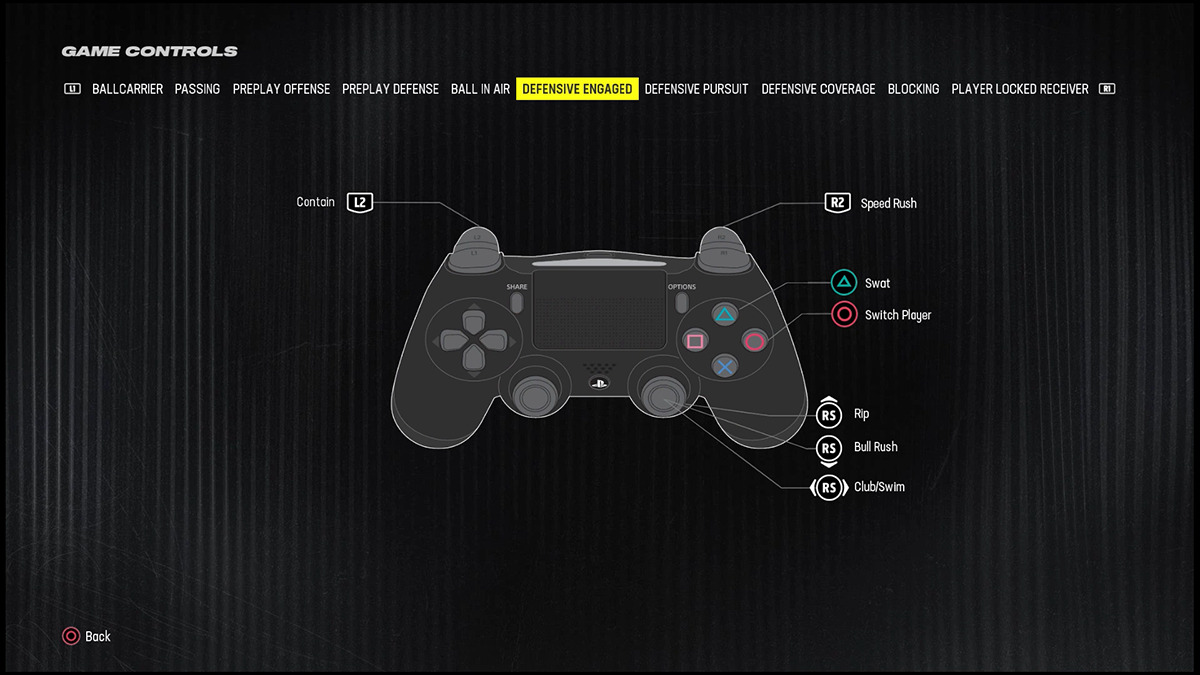
Sacking the quarterback is something the offense will not make easy for you. If you have mismatches on the other side of the ball, it is vital to know what to do to take advantage of that. Along with the controls below, Madden 24 will give a prompt on screen for the recommended move. If you want to master this skill, commit these buttons to memory. You only have a few seconds after the ball is snapped to disrupt the backfield.
| Madden 24 Defensive Engaged Controls | ||
| Action | PlayStation Controls | Xbox Controls |
| Swat | ▲ | Y |
| Bull Rush | RS Down | RS Down |
| Switch Player | O | B |
| Club/Swim Move | RS Left or Right | RS Left or Right |
| Rip Move | RS Up | RS Up |
| Speed Rush | R2 | RT |
| Contain | L2 | LT |
Defensive Pursuit

The goal on defense is to minimize the amount of yards gained on the play. Missed tackles and bad angles can be the difference between a loss for yards or a touchdown scored. Take account of the circumstances in real time so that you perform the right type of tackle for the right situation. If you catch a quarterback scrambling, make sure you hit stick them every time whereas you might want to use the cut stick against a humongous ball carrier rather than go for a dive tackle.
| Madden 24 Defensive Pursuit Controls | ||
| Action | PlayStation Controls | Xbox Controls |
| Strafe | L2 | LT |
| Sprint | R2 | RT |
| Defensive Assist | L1 | LB |
| Strip Ball | R1 | RB |
| Breakdown Tackle | X | A |
| Dive Tackle | ■ | X |
| Switch Player | O | B |
| Hit Stick | RS Up | RS Up |
| Cut Stick | RS Down | RS Down |
| Blow-Up Blocker | RS Flick | RS Flick |
Defensive Coverage

There is not much you can do physically past five yards to a receiver, but you still want to make things as uncomfortable as you can. Force the wide receiver off their spot and interfere with the quarterback’s timing by sticking to your opponents receivers like glue.
| Madden 24 Defensive Coverage Controls | ||
| Action | PlayStation Controls | Xbox Controls |
| Press / Chuck Receiver | X + LS | A + LS |
| Switch Player | O | B |
| Player Movement | LS | LS |
| Strafe | L2 | LT |
| Defensive Assist | L1 | LB |
Blocking
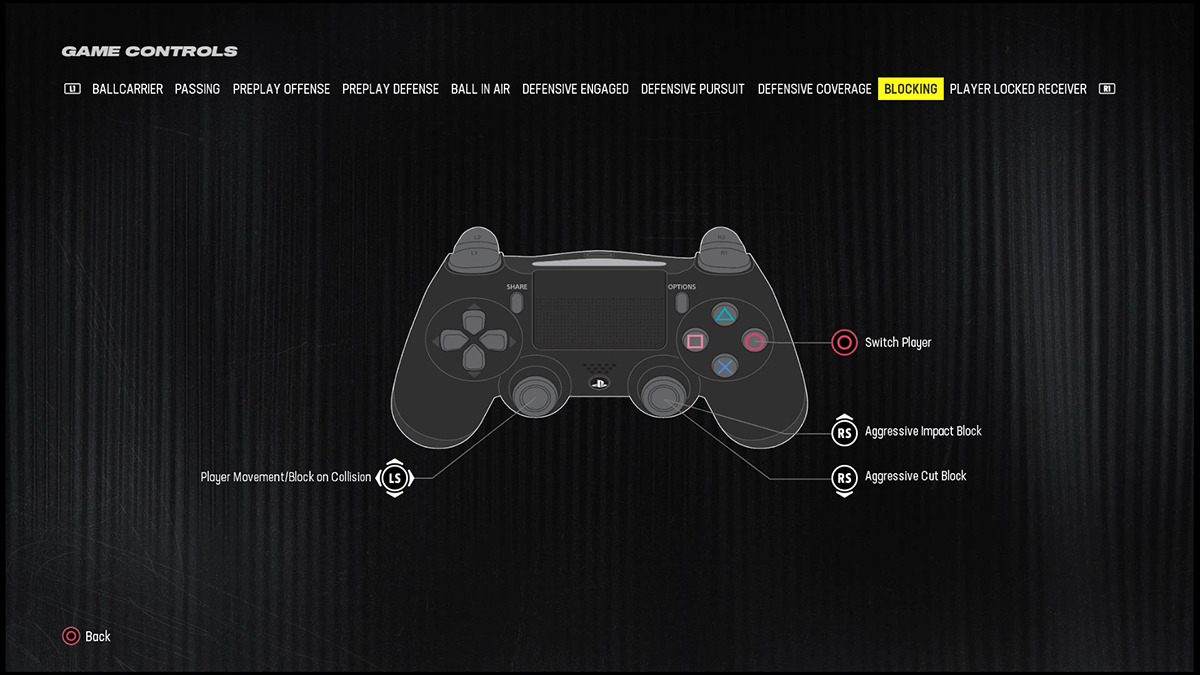
Missed block assignments will blow up a play on offense before it gets started as well as prevent a play from being extended. This is very important if you are in a player-lock situation on offense. The ability to block in the second level as well as downfield will make you valuable even when your number isn’t called to carry the ball.
| Madden 24 Blocking Controls | ||
| Action | PlayStation Controls | Xbox Controls |
| Player Movement/Block on Collision | LS | LS |
| Switch Player | O | B |
| Aggressive Impact Block | RS Up | RS Up |
| Aggressive Cut Block | RS Down | RS Down |
Player Locked Receiver

Take full control of your receiver with player-locked controls. This is a great skill to possess with a friend playing quarterback. You have complete route control and the opportunity to battle the defensive back without CPU assistance.
| Madden 24 Player Locked Receiver Controls | ||
| Action | PlayStation Controls | Xbox Controls |
| Individual Play Art | L2 | LT |
| Just-Go Release | R2 | RT |
| Player Lock | Double Press L3 | Double Press L3 |
| Route Running/Move Player | LS | LS |
| Change up (on the line) | Flick RS | Flick RS |
| Foot Fire (on the line) | Hold RS | Hold RS |
| Conservative Change-up Release | X | A |
| Cut Out of Press | Flick RS | Flick RS |
Madden 24 gameplay tips
Here are some tips to help you get started in Madden 24.
1. Use Training Camp to master the controls in Madden 24
Utilizing Training Camp mode is the best way to commit the controls to muscle memory and practice skill moves. You control the environment and you are able to create scenarios to work on specific weaknesses that you may have. The Skills Trainer focuses on tutorials and drills whereas team practice allows you to free scrimmage against a defense or practice play with only your offense on the field.
2. Choosing the right tackle for the right situation in Madden 24
Madden 24 introduced over 1500 new tackle animations and also gives the user more control over tackle type. Conservative tackles are now called breakdown tackles and the type of tackle attempted will rely on the size difference of the players colliding. For instance, a smaller defender will aim low on a huge ball carrier while a big defender will wrap up a smaller ball carrier.
A missed tackle can turn into a huge gain and sometimes a score for the opponent if you make the wrong gamble for a forced fumble or high risk play. Dive and hit stick tackles can take two to three seconds to recover from and if you have no backup defenders the offense will make you pay. Take chances, but only if necessary or if the reward is worthy.
Don’t forget to pick up Madden 24 with the worldwide release on August 18!